AI ticket summarization software for customer service teams
AI ticket summarization software condenses long support threads into short overviews. See what a summary includes and built-in vs. add-on options.

Nov 01, 2026 • 6 MIN READ
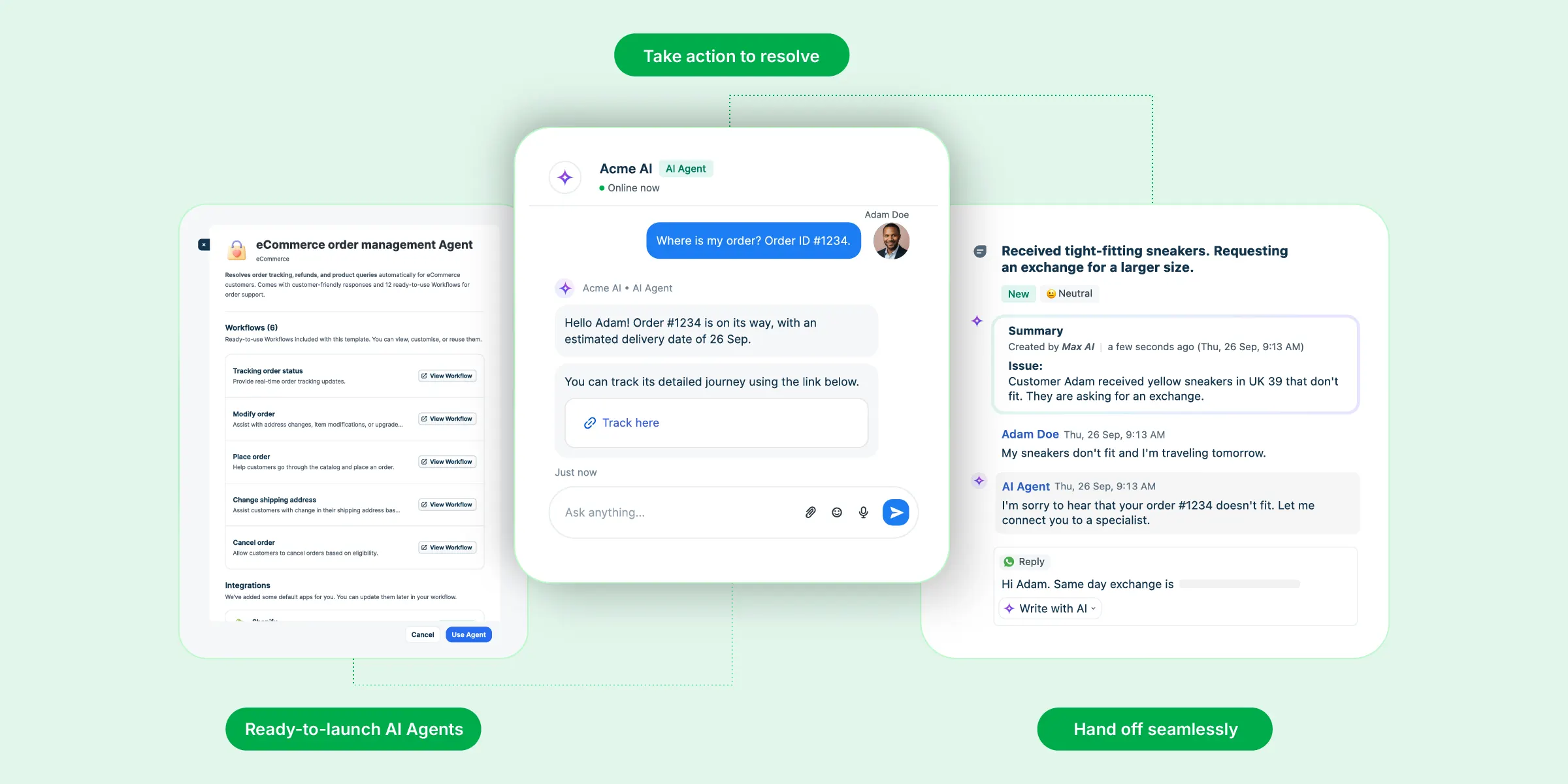
AI ticket summarization software uses natural language processing and large language models to condense long customer service threads (emails, chats, internal notes, and call transcripts) into short, readable overviews. For example, in Freshdesk’s AI-powered customer service, Freddy AI Copilot summarizes each ticket inside the omnichannel agent workspace: the customer’s problem, the steps already taken, and the current status.
What does an AI ticket summary include?
An AI ticket summary gives the next agent the four facts they need to act without rereading the conversation. Good summaries are built from the whole thread, not only the latest message, so earlier replies and private notes are still accounted for.
A complete ticket summary covers:
The core problem: What the customer needs, in one line.
Steps already taken: Troubleshooting, replies, and actions from every agent who has touched the ticket.
Current status: Where the request stands right now, such as waiting on the customer, on a part, or on a refund approval.
Next steps: What still has to happen to resolve it.
Tone and history matter too. A summary that notes the customer has already explained the issue twice tells the next agent to skip the scripted questions.
How does AI ticket summarization work?
AI ticket summarization works by reading every message on a ticket and rewriting the relevant parts as a short overview an agent can review. The software uses natural language processing (NLP) to understand what customers and agents wrote, and large language models, a form of generative AI, to produce the summary.
The process runs in three stages:
Collect the thread: The software gathers public replies, chat messages, internal notes, and call transcripts attached to the ticket.
Identify what matters: NLP separates the customer’s request, the actions taken, and open questions from greetings, signatures, and repeated text.
Draft the overview: A large language model writes the problem, steps taken, status, and next steps in plain sentences.
Agents stay in the loop. They read the summary, check it against the thread when something looks off, and decide what to say to the customer.
When are ticket summaries most useful?
Ticket summaries are most useful when a ticket changes hands, and the new owner has to get up to speed without rereading every reply. That happens most often in four situations:
Escalations: A senior agent receives a ticket that has passed through tier one.
Shift handoffs: Open tickets move to the next shift or another time zone.
AI-to-human handoffs: An AI agent resolves what it can and passes the rest to a person, with the conversation attached.
New-agent onboarding: New hires can work complex tickets sooner when each one opens with a plain-language recap.
For example, take a warranty replacement claim. The customer first emails about a cracked device, then asks for an update on chat, then calls. A tier-one agent leaves an internal note that the serial number failed validation. At shift change, the ticket escalates. Instead of opening five messages and a call transcript, the tier-two agent reads that the device is cracked, the serial number failed validation, a photo was requested but not received, and the next step is a manual serial check.
Summaries still need human judgment. On sensitive or complex tickets, such as legal complaints, account security, or disputed charges, agents should read the full thread before acting.
Built-in, add-on, or marketplace app: Which kind of AI ticket summarization do you need?
AI ticket summarization reaches a help desk in one of three ways: built into the platform, sold as a paid AI add-on, or installed as a third-party marketplace app. The right choice depends less on the summary itself than on what each option takes to set up and who controls the data it reads.
What to check | Help desk AI add-on (Freshdesk with Freddy AI Copilot) | Built into higher plans, with a monthly cap (Zendesk Suite Professional and above) | Third-party marketplace app (for example, Knots for Zendesk)
|
|---|---|---|---|
Setup required | An admin adds Copilot for each agent and switches on Summarize; no external account | Included on Suite Professional and above; an admin switches it on, with no add-on needed for summaries | App install, plus any external accounts the developer requires (Knots needs an account for the Knots.io middleware service) |
What it reads | The customer’s messages, agent replies, and private notes on the ticket | Tickets in the Zendesk workspace | Whatever ticket data the app’s permissions allow |
Where the summary lives | On the ticket, where agents save it, add it to a private note, or attach it when forwarding | In the Zendesk agent workspace | Defined by the app |
Who governs the data | The help desk vendor’s own AI | The help desk vendor’s own AI | The app developer, plus any middleware service it uses |
Cost model | Per-agent Freddy AI Copilot add-on, on Pro and Enterprise | Included in the plan price, with 5 uses per agent/month of Copilot tools such as summaries, pooled across the team | Set and billed by the app developer; Knots bills per account |
Three questions narrow the choice quickly:
Do you want summaries on day one? A built-in feature avoids app reviews, middleware accounts, and separate billing.
Do summaries need to cover every channel? If customers move between email, chat, and phone, the summary is only as good as the channels the tool can see.
Who signs off on data access? A marketplace app adds a second company to your data path, so security review applies to it as well as to your help desk.
How Freddy AI Copilot summarizes tickets in Freshdesk
Freddy AI Copilot gives agents a one-click summary of the ticket in front of them, so handoffs carry context rather than a pile of unread messages. Agents work every channel from Freshdesk Command Center, where conversations from those channels, customer context, and AI sit side by side.
Suited to growing support teams that want ticket summaries in one omnichannel workspace, with no third-party app or middleware to set up.
What the summary does for agents
When a ticket is escalated or reassigned, one click has Copilot condense the thread into the problem, steps already taken, and current status. The next agent can confirm the facts and reply. Copilot also reads customer sentiment, so agents can see who is frustrated or waiting on something urgent.
How summaries connect to the rest of Freddy AI
Freddy AI handles summaries, replies, and routing in one platform:
Freddy AI Agents handle routine requests end to end, including actions such as updating orders or processing refunds through connected systems, so human agents can focus on more complex queries.
Freddy AI Copilot for CX: Similar Ticket Suggester points agents to past tickets that match the one they are reading.
Freddy AI Copilot for CX: Reply Suggester drafts a response the agent can edit after reading the summary.
Routing: Auto Triage suggests the right group for each incoming email or portal ticket, and assignment rules send it to an agent by skill or workload.
Freddy AI Insights spots trends and raises problems early, and leaders can question service data in plain language.
Your knowledge base gives agents and AI agents the same approved answers to draw on.
Start your 14-day free trial of the Freshdesk Enterprise plan
How does Freshdesk compare with other AI ticket summarization options?
AI ticket summarization options differ most in where the summary comes from, AI setup effort, and how the AI is priced. Each entry below covers the same three parts, in the same order. Prices are as published by each vendor.
Freshdesk
Where ticket summaries come from: Summarize, a feature of the Freddy AI Copilot add-on.
AI setup: Summaries need no separate app. Once an agent has Copilot and an admin switches Summarize on, the agent runs it from a button on the ticket.
AI pricing: Summaries need Freddy AI Copilot, which costs $29 per agent/month, billed annually, on Pro and Enterprise. Freddy AI Agents start with 500 free sessions per account, then $49 per 100 sessions. The Enterprise plan also includes Freddy AI Insights.
Zendesk
Where ticket summaries come from: Suite Professional and Suite Enterprise include a monthly allowance of AI ticket summaries, and the Copilot add-on adds auto assist, suggested first replies, and suggested macros. Marketplace apps such as Knots for Zendesk also add summaries.
AI setup: Zendesk AI agents are set up by writing each procedure in plain language.
AI pricing: Plans include 5 to 15 automated resolutions per agent/month, then $1.50 per resolution committed or $2.00 pay-as-you-go. Copilot is $50 per agent/month on top of Suite Professional at $115 per agent/month, both billed annually.
Fin (Intercom)
Where ticket summaries come from: AI Summarize in the Intercom inbox, on the Advanced plan and above.
AI setup: Intercom is the help desk, and Fin is its AI agent, so Fin runs alongside Intercom seats.
AI pricing: Fin is $0.99 per outcome, which Intercom counts when Fin resolves a question or hands off to your team as a procedure instructs. AI Summarize comes with Intercom Advanced, from $85 per seat/month billed annually.
Agentforce Service
Where ticket summaries come from: Agentforce Service Assistant gives service reps case summaries and suggested resolution steps.
AI setup: Agentforce for Service is the AI suite in Salesforce Service Cloud, available for purchase on the Core and Advanced editions and included in Max.
AI pricing: AI is billed per action through Flex Credits, at $500 for every 100,000 credits. A $5 per user/month license also draws on Flex Credits, and Agentforce add-ons for unmetered employee use are $125 per user/month.
Ready to use the hassle- free, best help desk software?
14-day free trial. No credit card required. No strings attached.