Best Help Desk Software in 2026: 10 Tools Compared
Explore the 10 most popular help desk software platforms in 2026 based on the latest user reviews, features, pros and cons, and pricing

Sep 11, 2026 • 19 MIN READ
Help desk software turns support requests into tracked tickets and routes them to the right person. This guide compares ten tools on user ratings, integrations, automation depth, pricing, and how quickly each one goes live. Freshdesk is a help desk software for growing customer support teams; Zendesk is a help desk for large omnichannel support operations; Zoho Desk is a help desk for support teams standardized on the Zoho suite; HubSpot Service Hub is a help desk for support teams running on HubSpot CRM; and Gorgias is a help desk software for ecommerce support teams.
How we compared them
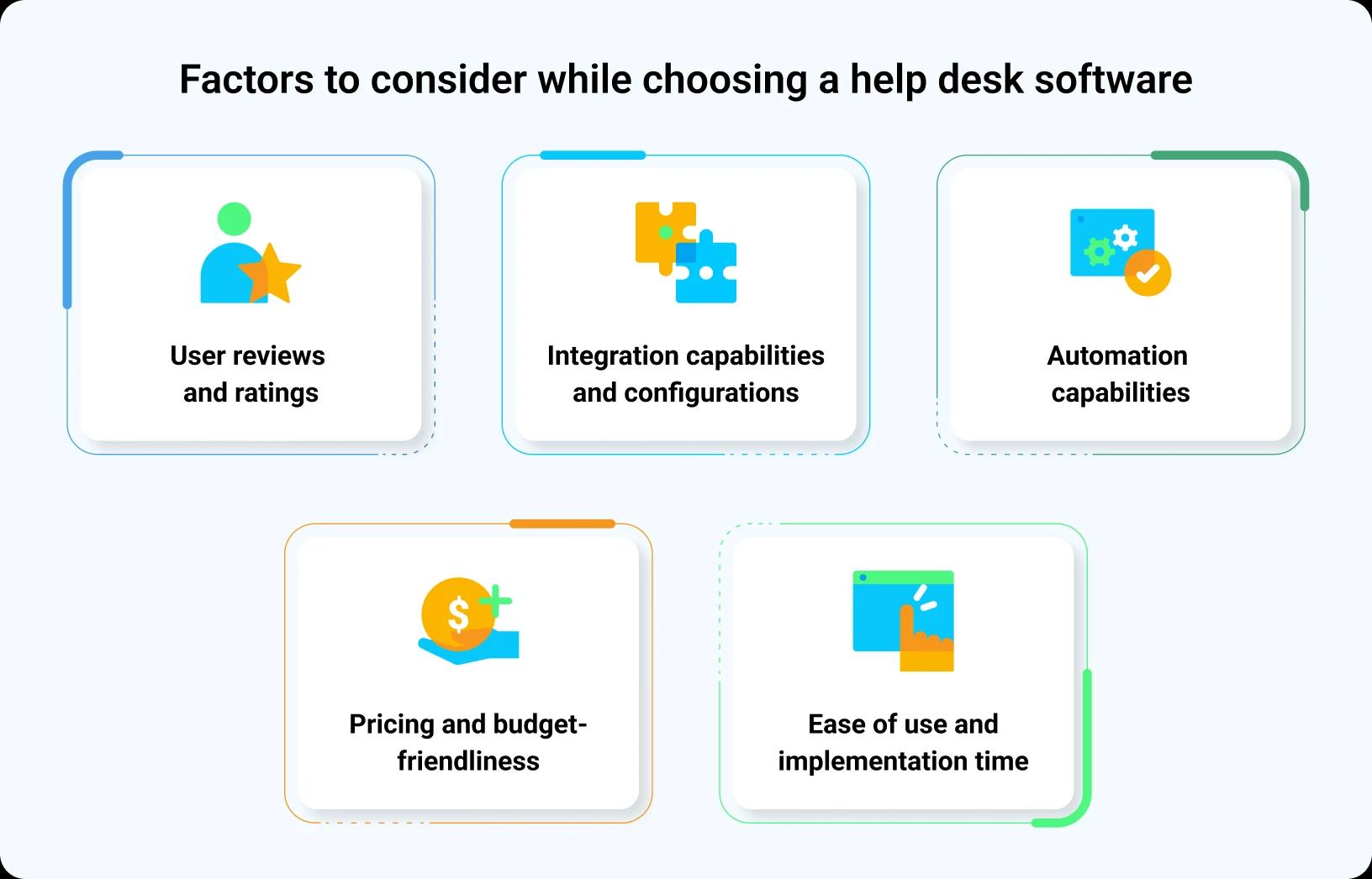
Each platform was weighed on five criteria:
User reviews and ratings: G2 score read alongside review volume, so a high score on a small sample is not read as a high score.
Integration capabilities: How many business tools, CRMs, and store platforms each system connects to natively, rather than through custom development work.
Automation depth: How far a platform routes, escalates, and resolves without manual handling, from basic rules through to AI that closes requests end to end.
Pricing and value: What a platform costs against what it returns, including how AI is priced and whether the model stays predictable as volume grows.
Fast setup: guided onboarding configures Freddy AI Agents, channels, and workflows so your team goes live quickly, and Vertical AI Agents can then support more specialized use cases as needs grow.
Ease of implementation: How long it takes to stand up the platform and its AI, and whether the vendor offers guided setup, quick-starts, or onboarding tours versus custom configuration work.
Vertical AI Agents: Whether industry or use-case agents ship configured, so a team starts from a working agent rather than a blank one.
Compared at a glance
Platform | G2 rating | Base price (USD) | AI resolution model | Best for
|
Freshdesk | 500 Freddy AI Agent sessions included per plan; $49 per 100 after. Copilot $29 per agent/month on Pro and Enterprise. | Growing support teams adopting AI-powered customer service | ||
Zendesk | Committed or pay-as-you-go pricing per automated resolution, plus a separate Copilot fee | Large omnichannel operations with dedicated administrators | ||
Zoho Desk | Bundled AI credits within license tiers, scaling with agent plan level | Teams already standardized on the Zoho suite | ||
Agentforce Service (formerly Salesforce Service Cloud) | Flex Credits tied to Agentforce usage, priced per conversation outcome | Organizations already running their CRM on Salesforce | ||
Help Scout | AI Answers billed at $0.75 per resolution, on top of the plan | Small teams wanting an email-style shared inbox | ||
HappyFox Help Desk | Bundled per-agent pricing with add-on AI features priced separately | Structured support operations built on workflow rules | ||
Intercom | Fin, its AI-agent layer, is billed per resolved outcome from $0.99 per resolution. | Support teams running chat-first conversational support | ||
HubSpot Service Hub | Bundled into tiered seat licensing, credits usage-based across the AI stack | Teams unifying service with HubSpot CRM data | ||
Gorgias | Automated resolutions billed per successful resolution, priced per order volume tier | E-commerce and Shopify support teams | ||
Kapture | Custom AI workflows built and tuned per industry vertical | Teams wanting AI workflows tuned per industry vertical |
Review-site ratings: G2, as of 25 Aug 2026. Vendor prices re-verified 27 Aug 2026. Prices are each vendor's published base price on the date shown in Sources.
Top Help Desk Solutions
1. Freshdesk Omni
Best for growing support teams that want AI-powered customer service running quickly from one Freshdesk Command Center.
For customer service teams that want AI outcomes without a drawn-out transformation program, Freshdesk is the customer service platform that combines AI resolution, connected omnichannel service, AI-assisted agents, and operational intelligence with a practical path to adoption. Freshdesk helps teams launch quickly, prove value early, and progress toward AI across customer service at their own pace.


Freshdesk is AI-powered customer service, an ecosystem where AI agents, Copilot, and AI Insights work together, and Freshdesk Omni unifies support across email, chat, phone, and social so teams streamline service, reduce response time, and boost satisfaction. For the team, this means one connected workspace and Freshdesk Command Center as the single place to run support, monitor work, and act. Setup moves fast: prebuilt agents and step-by-step onboarding configure AI without a long implementation, so growing teams prove value early and expand at their own pace.
Freshdesk is AI-powered customer service, with Freddy AI working across your channels to resolve requests, assist agents, and surface what matters. Each plan includes 500 Freddy AI Agent sessions, with further sessions at $49 per 100. Freddy AI Copilot is a separate add-on at $29 per agent per month, on Pro and Enterprise. Add-ons extend AI where the platform needs more. For what sits in each plan and how usage is counted, see Freshdesk pricing.
Results customers report
iPostal1 resolves 54% of queries with Freshdesk AI
Ryan Specialty reaches a 75% first-contact resolution rate
Woolacombe Bay cut resolution time by 69%
Hobbycraft handles 30% of queries
What Freshdesk enables
Resolve with AI: AI agents understand intent and resolve requests end to end
Meet customers everywhere: channels, context, and history in one connected workspace
Empower every agent: Freddy AI Copilot surfaces context and the next best action
Improve continuously: FFreddy AI Insights surfaces trends so teams act before issues escalate
Ready-to-use AI: prebuilt AI agents cover real use cases from day one and improve as they run
Vertical AI agents: agents built for your industry arrive configured for its most common requests, so a team starts from a working agent rather than a blank one
Grow at your pace: start with one use case or expand across teams and channels
What each Freshdesk product does
Freddy AI Agent Studio — Launch AI agents that understand, act, and resolve.
Freddy AI Agent for Email — Resolve email requests, not just reply to them.
Freddy AI Copilot — Give every agent what they need to resolve with confidence.
Freddy AI Insights — Turn service data into better decisions.
Freshdesk Command Center — Every channel. Complete context. One place to act.
Integrations and MCP — Connect the tools your team relies on.
Key features of Freshdesk
Freddy AI Agents: prebuilt AI agents that understand intent and resolve requests end to end across chat, messaging, email, and voice, handing off to a person only when judgment is needed.
AI ticket routing: Freddy AI reads each ticket's intent and directs it to the right agent or team automatically.
Fast setup: guided onboarding configures AI agents, channels, and workflows so your team goes live quickly.
Omnichannel inbox: email, chat, phone, and social conversations arrive in one shared view your team works from together, with the phone channel available as an add-on.
Pros | Cons |
500 Freddy AI Agent sessions are included in every plan, so AI runs from day one without a separate usage contract. | Freddy AI Copilot is a separate add-on at $29 per agent/month, and only on Pro and Enterprise. |
Guided onboarding configures AI agents, channels, and workflows, so teams go live without a dedicated admin team. | Sessions beyond the included 500 are billed at $49 per 100, so high volume adds a usage line. |
Prebuilt and vertical AI agents ship ready to deploy, so a team starts from a working agent. | The phone channel is an add-on rather than part of the base plan. |
Command Center brings every channel and full context into one place to act. | — |
Pricing: Freshdesk Growth US$19, Pro US$55 and Enterprise US$89 per agent per month, billed annually. Freshdesk Omni is priced separately, starting at US$29 per agent per month on Growth, with Pro at US$79 and Enterprise at US$119, billed annually
2. Zendesk
Best for large omnichannel operations with dedicated administrators, with Copilot sold as a per-agent add-on.
Zendesk competes on the Resolution Platform, its automation and ticketing suite built around configurable workflows, triggers, and AI-assisted resolution priced per automated resolution. Adopting it requires structured setup: workflows, business rules, and automation paths are configured before AI resolution runs reliably.
That setup calls for dedicated Zendesk administrators to build, test, and maintain the configuration. Rollout follows a phased implementation timeline, with automation and reporting maturing as configuration deepens. Teams should plan for an extended stand-up period before the platform reaches full operational use across support workflows and channels.
Zendesk is a widely used customer service and engagement platform designed to help businesses manage and streamline their support operations. It offers a comprehensive suite of tools, including ticketing, live chat, messaging, call center capabilities, knowledge base management, and community forums. Beyond its base plans, Zendesk prices AI and add-ons separately. Copilot is US$50 per agent per month and Workforce Engagement Bundle US$50 per agent per month, both billed annually. AI agents are included on every Suite and Support plan and billed on outcomes. Zendesk quotes resolution rates through sales rather than publishing them.
Key features of Zendesk
Zendesk AI agents: resolve requests end to end across email, messaging, live chat, phone, and social, escalating to a human agent when needed.
Ticket routing: Uses skill-based routing, triggers, and automation rules to assign tickets to the right agents based on priority and experience.
SLA management: Policies and escalation paths are configured by an administrator to enforce response and resolution targets.
Analytics: Provides built-in reports and customizable dashboards that help teams track key metrics, monitor agent performance, and optimize the support experience.
Pros | Cons |
Omnichannel coverage across email, messaging, live chat, phone, and social. | Workflows, business rules, and automation paths must be configured before AI resolution runs reliably. |
Skill-based routing, triggers, and automation rules support complex support operations. | Rollout follows a phased implementation timeline and calls for dedicated Zendesk administrators. |
Configurable SLA policies and escalation paths. | AI and add-ons bill separately: Copilot at $50 per agent/month, the Workforce Engagement Bundle at $50 per agent/month, and AI agents billed per automated resolution. |
Built-in reports and customizable dashboards. | — |
Pricing: from $19 per agent/month
3. Zoho Desk
Best for teams already standardized on the Zoho suite, with advanced AI and automation on higher-tier plans.
Zoho Desk is a help desk software built around ticketing, workflow automation, and integration with Zoho's own suite of business applications. Adopting it requires configuring workflow rules, SLAs, and automation logic within Zoho's framework, along with familiarity with the wider Zoho ecosystem to connect sales, finance, and support data. Teams without an existing Zoho deployment should expect additional setup work to configure modules, assign administrators, and align rollout timelines with internal IT resources before agents can work from a unified view.
Zoho Desk sells add-ons on top of its base plans: Light Agents at $6 per user/month, Premium Support at 20% of the subscription fee, and Enterprise Support at 25% of the annual subscription fee with a 25-user minimum. Classic Support is included with every paid edition. Trusted by 125,000+ businesses globally, it offers a comprehensive set of tools for managing customer support across email, social media, live chat, and telephony. Teams evaluating total cost need to factor these add-ons in alongside the base subscription, since AI and enterprise support features are not bundled into the standard plan price.
Key features of Zoho Desk
Free tier: Covers basic ticketing and email support for a small team, with fuller help desk software functions on paid plans.
Workflow automation: Automates ticket routing, triggers, and escalations using Blueprints and custom functions—streamlining support processes without coding.
Blueprint automation: enforces multi-step approval and process workflows across teams, guiding agents through mandatory stages for consistent ticket resolution.
Pros | Cons
|
Free tier covers core ticketing for small teams. | Advanced AI and automation sit behind higher-tier plans. |
Deep customization across departments within one account. | Value depends on standardizing on the wider Zoho suite. |
Blueprint automation enforces multi-step approval workflows. |
Pricing: from $7 per user/month
4. Salesforce Service Cloud
Best for organizations already running their CRM on Salesforce, with configuration and implementation partners to build the workflows.
Salesforce Service Cloud is a customer service platform built around Salesforce's CRM, connecting support to sales and account data across departments. Adopting it centers on the Salesforce platform: configuration of objects, workflows, and permissions, along with ongoing administration to manage automation and integrations.
Teams typically require certified administrators or partner consultants to design, build, and maintain the system. Rollout timelines depend on the scope of CRM customization and integration work involved, and extending Service Cloud across teams often means additional configuration and administrative oversight as usage grows.
Salesforce Agentforce Service, formerly Salesforce Service Cloud, is a customer service platform built on Salesforce's CRM, used by organizations that already run sales and service on that platform. It helps businesses deliver connected service across email, chat, phone, social media, and self-service. On top of its plans, Salesforce charges for AI and support separately: Agentforce for Service at $125 per user/month, AI conversations at $2 each, and Flex Credits at $500 per 100,000 credits, drawn down at 20 credits per standard action and 30 per voice action. Support is a separate plan: Standard is included with every license, and Premier costs 30% of net license fees.
Key features of Salesforce Agentforce Service
Case management: Streamlines issue tracking and resolution by organizing customer cases in one central workspace.
Agentforce and Einstein: AI agents and assistance configured on the Salesforce platform, drawing on connected CRM data.
Unified voice & messaging: Provides seamless communication through integrated voice and messaging tools, helping agents manage all conversations in a single interface.
Pros | Cons
|
Seamless integration with the Salesforce ecosystem. | Customizations require knowing Salesforce’s proprietary programming languages. |
Real-time customer insights with a complete 360° view. | The pricing plans quickly escalate cost for businesses during scaling. |
Case management, knowledge base, and real-time analytics boost team efficiency. |
Pricing: from $25 per user/month
5. Help Scout
Best for small teams wanting an email-style shared inbox, with AI-drafted replies from the Plus plan upward.
Help Scout is a shared-inbox help desk software built around simplicity and a human tone in customer conversations. It centers on email-style ticketing, light automation rules, and a small set of workflows rather than a broader service platform. Adopting it requires configuring mailboxes, tags, and workflow rules by hand, since it ships without prebuilt AI agents.
Teams need an administrator to define automations and saved replies before rollout, and setup time scales with how many rules and integrations the team builds.
If you are looking for a service desk platform, Help Scout requires small to mid-sized support teams to layer AI and add-ons on top of its base plans. Help Scout helps teams scale support through workflow automation, shared inboxes, a built-in knowledge base, and reporting, all while maintaining a personal touch. Beyond the plan price, AI Answers $0.75 per resolution, Additional inboxes $10 per month and Extra Docs sites $20 per month.
Key features of Help Scout
Workflow automation: Automates repetitive support tasks like tagging, assigning, and responding to tickets, giving agents more time to focus on complex cases.
Knowledge base: Provides a self-service knowledge base (Docs) to help customers find answers and reduce ticket volume.
Pre-Built reports: Gives actionable insights into team performance and customer experience with out-of-the-box reporting dashboards.
Pros | Cons
|
Simple to set up and manage with minimal overhead. | The chatbot relies on rigid, rule-based flows that lack natural language understanding. |
No-code automation supports efficient scaling for small teams. | Contact-based pricing model can be unpredictable for scaling businesses. |
A responsive customer service team that incorporates user feedback and suggestions. | Lacks skill-based routing, leading to faulty ticket assignment to the wrong agents. |
A clean interface enables focused and productive support. |
Pricing: from $25 per user/month
6. HappyFox Help Desk
Best for structured support operations built on workflow rules, with AI ticket categorization on its top-tier plan.
HappyFox Help Desk is a ticketing platform built around workflow automation and rule-based ticket management for structured support operations. Adopting it requires configuring business rules, SLA policies, and automation workflows before agents can rely on them in daily use. Teams typically need a dedicated administrator to define ticket categorization logic and maintain workflow rules as processes change. Rollout involves mapping existing support processes into the platform's rule structures, a setup phase that precedes day-to-day use rather than running alongside it.
HappyFox Help Desk keeps AI capabilities outside its base plans, sold as separate add-ons: Assist AI $1 per user/month, Chatbot resolutions $0.33 per resolution and AI Autopilot actions $0.02 per action. Teams pay per user for Assist AI, per resolution for chatbot conversations, and per action for AI Autopilot. This means total AI cost scales with usage and headcount rather than a single flat fee, and a team's monthly bill can shift as chatbot volume or automation activity changes, independent of the base per-agent plan price.
Key features of HappyFox Help Desk
Ticketing workflows: Automates ticket assignment, prioritization, and escalation rules to keep support requests moving without manual intervention.
Status tracking: Keeps teams informed with SLA timers, customizable statuses, and alerts to ensure timely ticket handling.
Omnichannel support: Captures tickets across email, chat, phone, and social media, centralizing all conversations in one interface.
Pros | Cons
|
Highly customizable workflows and ticket handling rules. | The pricing structure limits the maximum number of tickets you can receive. |
Strong integration support (e.g., Microsoft Teams) and growing native ecosystem. | Lacks skill-based routing, resulting in inefficient ticket assignment. |
Extensive native integrations with popular business tools. | Essential features like live chat and chatbot are separate add-ons. |
Automation-rich features make daily ticket management more efficient. |
Pricing: from $24 per agent/month
7. Intercom
Best for support teams running chat-first conversational support, with Fin as its AI-agent layer.
Intercom is a customer messaging platform for support teams that run chat-first, in-product conversations. Agents work from a shared inbox carrying web, mobile, and messaging threads alongside a help center, with reporting behind both. Adopting it requires configuring the messaging model, inbox routing, and help center content before agents work from it day to day.
Fin is Intercom's AI-agent layer, billed per resolved outcome rather than per seat. It answers from published help center content and hands off what it cannot resolve. Fin also runs on a help desk software a team already owns, so a team can adopt Intercom as its platform or add Fin to the desk it has.
On top of its plans, Fin charges per outcome. Intercom publishes Fin from US$0.99 per outcome, a Copilot add-on at US$29 per seat per month on annual billing or US$35 on monthly, and a Pro add-on at US$99 per month covering analysis of 1,000 conversations plus 2,000 credits, with further credits at US$0.01 each. Intercom counts an outcome when a customer confirms the issue is resolved, when they do not ask for more help after Fin responds, or when Fin completes a workflow. Freshdesk prices Freddy AI by session, so how a conversation is categorised does not change what you pay.
Key features of Fin (Intercom)
AI agent: Instantly resolves common queries, reducing wait times while delivering accurate, conversational answers to customers.
Conversation resolution: Fin answers customer questions directly in chat, closing conversations automatically without routing them to a human agent.
Workflow automation builder: Designs custom, no-code workflows to automate repetitive tasks and route conversations efficiently.
Pros | Cons
|
Unified inbox combines chat, email, help articles, and product tours in one intuitive platform. | Requires separate setup for macros and custom SLAs, which can make support configuration time-consuming for admins. |
Centralized customer data with seamless integrations (e.g., HubSpot) enables a complete customer view. | Higher pricing compared to other help desk solutions. |
Detailed conversation history helps understand the context before re-engaging with customers. | Limited customizability in ticket statuses and dynamic fields for support workflows. |
High-performing AI chat tools boost resolution rates and free up CX teams for complex issues. | Fin resolves best in chat; performance on email and other channels is uneven by comparison |
| Fin Voice is custom-priced and available only to selected customers working directly with Intercom's sales team. |
| ticketing carries fewer of the standard help desk software features teams expect from a support desk. |
Pricing: Essential $29, Advanced $85 and Expert $132 per seat/month. Fin outcomes are billed at $0.99 each on top.
8. HubSpot Service Hub
Best for teams unifying service with HubSpot CRM data, with customer portals and advanced automation on Enterprise.
HubSpot Service Hub is a customer service product built around HubSpot's CRM, tying support tickets to contact and deal records for teams already running their sales and marketing on the same platform. Adopting it requires configuring workflows, ticket pipelines, and permissions inside the HubSpot ecosystem, with administrators managing properties, automation rules, and integrations across hubs.
Rollout typically extends over several weeks as teams map existing service processes to HubSpot's object model and align data across CRM and support functions.
HubSpot Service Hub is a customer service software designed to deepen customer relationships, streamline support operations, and turn customers into promoters. Built natively within the HubSpot ecosystem, it gives teams complete visibility into customer interactions across the entire lifecycle. AI runs on top of plans through a monthly, non-rolling credit system: Breeze Customer Agent resolution $50 credits per resolution and AI features $10 credits per action.
Key features of HubSpot Service Hub
CRM alignment: ties support tickets to CRM records so agents see deal and contact history together
Customer success workspace: Provides a unified view of customer interactions, tickets, and history, enabling support agents to deliver personalized, context-rich service.
Feedback management: Collects, analyzes, and acts on customer feedback using built-in surveys to continually improve service quality.
Pros | Cons
|
Frequent product updates and beta features keep the platform innovative and evolving. | Primarily designed for sales and marketing teams, not service teams. |
AI-powered reply recommendations improve with the knowledge base, helping agents respond faster. | High cost of ownership and a steep rise in pricing plans that limit scalability. |
A highly configurable interface makes it ideal for small and growing teams needing flexibility. | Most essential features are available only in higher-tier plans. |
Responsive and helpful customer support ensures smooth onboarding and ongoing assistance. |
Pricing: from $20 per seat/month
9. Gorgias
Best for e-commerce and Shopify support teams, with automation beyond basic macros on upgraded plans.
Gorgias is a customer service platform built around e-commerce workflows, connecting stores to order and payment data for support conversations. Adopting it requires configuring integrations with eCommerce platforms and payment systems before automation reflects order status, refunds, or subscriptions accurately. Store teams typically need an administrator to map workflows to these integrations and maintain them as catalogs or payment providers change.
Rollout time depends on how many storefronts, apps, and payment systems must be connected before automated responses can be trusted for live customer conversations.
Gorgias is an e-commerce-focused help desk software designed to streamline support within the context of your online store. It consolidates all customer channels into a unified inbox, pulling in vital details like order history, subscription status, and past communications directly into tickets. Gorgias AI is priced on top of its plans: AI agent usage (Automated resolutions) $0.90 per resolution and Ticket overages $0.32 per ticket. Teams budgeting for AI resolutions need to factor this per-resolution usage cost, plus ticket overages, alongside their base plan when estimating total spend.
Key features of Gorgias
Shopify integration: Pulls order, customer, and shipping data directly into the support view so agents can act without switching tools.
AI assistance: Automates responses to common questions, surfaces relevant macros, and summarizes conversations to speed up resolution time with AI-powered tools.
Performance reporting: Tracks agent performance, response time, ticket volume, and customer satisfaction through detailed dashboards that link support to revenue.
Pros | Cons
|
Offers flexible customization, allowing teams to tailor the platform to their unique workflows. | Frequent system updates can sometimes slow down performance during use. |
Easy to set up and intuitive for new agents to learn, with quick onboarding and minimal training requirements. | Ticket overage charges can add up quickly, especially for high-volume stores. |
Seamlessly integrates with major e-commerce platforms like Shopify, so agents don’t have to switch tabs or tools. | Deleting customer data can be a complex process, making compliance with privacy requests challenging. |
Macros, ticket assignment, and Views are simple to use, boosting team productivity. |
Pricing: from $10 per month
10. Kapture
Best for teams wanting AI workflows tuned per industry vertical, delivered through a scoped implementation project.
Kapture is a customer service platform built around configurable AI workflows spanning multiple channels. Adopting it requires structured implementation: administrators define workflows, integrations, and channel-specific rules before agents or AI features go live.
Deployment typically involves a dedicated configuration phase, including data mapping and cross-channel testing, ahead of any team rollout. Maintaining Kapture also requires ongoing administrative work to update workflow logic and integrations as channels, teams, or processes change over time.
AI is not bundled into Kapture's base plans. It is sold as an add-on.
AI capability is not bundled in: AI agents $100 per agent/month and Premium support $100 per month. Premium support is billed separately from the plan as well, at the same rate. Teams evaluating Kapture need to budget for AI and support access as recurring costs beyond the base subscription, not as included capability.
Key features of Kapture
Sentiment analysis: Analyzes customer tone in real time to prioritize and escalate tickets based on urgency or emotional cues.
Intent detection: Automatically identifies the purpose behind customer queries, enabling faster routing and more accurate responses.
Ticket summaries: Generates concise ticket overviews using AI, helping agents quickly understand context and reduce handling time.
Pros | Cons
|
Shows complete customer history with clear summaries, making it easy to respond quickly. | Users report slow platform load times and downtime that can hinder support. |
Offers strong customization to fit different business needs. | AI agents are an add-on at $100 per agent/month on top of the plan. |
Built-in AI tools like smart routing and agent assist help large teams work more efficiently. | |
The dashboard clearly displays customer details and response timelines for better tracking. |
Pricing: from $39 per user/month
Ready-to-use Freddy AI Agents, and what they resolve on day one
Most lists rank e-commerce AI on the breadth of what it can theoretically answer. The axis they miss is how much of that breadth is ready-to-use on day one for the requests that actually flood a retail queue: order status, returns, refunds, delivery windows.
Coverage on paper decides nothing if every intent needs building before it resolves. What decides the outcome is whether the agent handles real e-commerce cases the moment it goes live, then gets sharper as more conversations pass through it. Judge on live resolutions, not on the size of the promise.
When you weigh a ready-to-launch AI agent for e-commerce, judge it in the shoes of the person who has to run it next week. Ask how long setup takes before the agent resolves real order, return, and shipping questions. Ask whether a guided rollout walks your team through configuration, or whether you need specialists to make it work. Weigh the pricing model against the resolutions you expect. Then check that one place lets you supervise every channel. Freshdesk answers those questions directly.
Choosing the Right Tool

For growing teams that want omnichannel service, SLAs and AI without a long implementation
Freshdesk suits growing teams that want to be live quickly, without a long implementation. Guided setup and a workspace agents understand from day one mean fewer decisions before you see results. Freddy AI Agents handle common requests from the start and get sharper with each interaction.
For large operations with administrators to configure omnichannel routing, analytics and SLAs
Zendesk gives large operations deep configurability across omnichannel routing, SLA policies, and analytics, and teams typically assign an administrator to build and maintain that configuration. Its AI agents are included on Suite and Support plans and billed on resolution outcomes against an allowance, with Copilot as a separate per-agent line at US$50 per agent per month.
For tight budgets that want a capable free tier and customization
Zoho Desk requires you to standardize on the wider Zoho suite to unlock its customization ceiling, and expect the free tier's channel and automation limits to push you into paid plans as volume grows. Plan for administrator time to configure custom modules and workflows, and budget for AI as a metered add-on with setup you own rather than a rollout that walks you through it.
For e-commerce teams automating order and subscription resolutions
Two routes here, and they differ on how much you build before the AI resolves anything. Freshdesk runs it through Vertical AI Agents built for retail and e-commerce, with 50+ prebuilt workflows covering order tracking, cancellations, returns and refunds, and delivery updates. Connect your order, shipping, and returns systems and that context sits inside the ticket, with the agent handling the requests a retail queue actually gets from the day it goes live rather than after they are built. Gorgias comes at it from the store side, connecting to Shopify and other store platforms so order, refund, and shipping context sits inside the ticket, with AI automation tuned for repeat retail questions. Expect setup time to connect each storefront and payment system before automations handle live volume.
The bottom line
Freshdesk helps customer service teams move from their first AI agent to AI-powered customer service.
Weigh the choice on three things buyers often overlook until later: how long AI setup takes before it earns its keep, whether agents arrive ready for your real use cases, and how AI is priced as volume grows. Ask to see the rollout, not just the demo. The right platform proves value early and lets you expand on your own terms rather than committing to a program you have to finish first.
A growing team gets AI-powered customer service that meets customers everywhere, gives agents the context to act, and gets sharper the more it runs — set up on a path your team can follow without a long project. Start with a free trial, prove it on real work, and expand when you are ready.
Sources
Freshdesk plans (Growth, Pro, Enterprise): pricing page — verified 24 Aug 2026 · G2 reviews (as of 25 Aug 2026)
Zendesk: pricing page (read 25 Aug 2026) · G2 reviews (as of 25 Aug 2026)
Zoho Desk: pricing page (read 25 Aug 2026) · G2 reviews (as of 25 Aug 2026)
Salesforce Service Cloud: pricing page (read 25 Aug 2026) · G2 reviews (as of 25 Aug 2026)
Help Scout: pricing page (read 25 Aug 2026) · G2 reviews (as of 25 Aug 2026)
HappyFox Help Desk: pricing page (read 25 Aug 2026) · G2 reviews (as of 25 Aug 2026)
Fin (Intercom): pricing page (read 25 Aug 2026) · G2 reviews (as of 25 Aug 2026)
HubSpot Service Hub: pricing page (read 25 Aug 2026) · G2 reviews (as of 25 Aug 2026)
Gorgias: pricing page (read 25 Aug 2026) · G2 reviews (as of 25 Aug 2026)
Kapture: pricing page (read 25 Aug 2026) · G2 reviews (as of 25 Aug 2026)
Frequently asked questions related to service request management
What are the must-have features in a help desk solution?
Look for four things working together. First, AI that resolves common requests end to end, not just answers them. Second, omnichannel handling so email, chat, phone, and social share one history. Third, a single command center with that AI built in rather than bolted on, where a growing team runs support, routes work, and tracks it from one place. Fourth, analytics that surface trends early enough to act on. Where a platform needs lengthy configuration before its AI performs, weigh that setup time against how fast you need value.
What are the most affordable help desk platforms on the market?
On base price, Gorgias starts at $10 per month, Zoho Desk at $7 per user/month, and Freshdesk at $19 per agent/month. But affordability depends on the model as much as the sticker. Per-agent pricing is predictable and scales with headcount; consumption pricing charges per automated resolution, which makes costs harder to forecast. Some platforms add a separate Copilot line on top of resolution fees, so the entry price understates the total.
How much setup time should you budget before agents go live?
Budget setup time around your AI model. Platforms that require heavy configuration, custom model training, and deep integration work push go-live back by weeks, since agents can't take live traffic until that groundwork is finished. The trade-off is control versus speed. A model built on prebuilt AI agents lets you start with one real use case, then expand, so agents go live sooner and value shows earlier.
How do AI agents resolve customer requests end to end?
An AI agent reads the request, identifies intent, and pulls the answer from your knowledge sources and connected systems. It can look up account details, take an action such as a refund or status update, and confirm the outcome with the customer. When a case needs judgment, it hands off with full context. Rule-based bots require you to script every path in advance; a language-model agent interprets each conversation directly.
Which help desk software integrates best with e-commerce platforms like Shopify?
Most help desks software connect to Shopify through a prebuilt integration that pulls order, refund, and customer data into the ticket, so agents answer without switching tabs. The trade-off is depth: some tools require you to build and maintain custom API connections for actions like issuing refunds. Look for a native
Ready to use the hassle- free, best help desk software?
14-day free trial. No credit card required. No strings attached.