Best customer complaint management software
Enhance your resolution processes and improve customer satisfaction with the right customer complaint management software. Start today by exploring the best customer complaint software options available in 2026.

Oct 15, 2026 • 11 MIN READ
Customer complaint management software is a centralized digital platform that captures, tracks, routes, and resolves customer complaints across channels (email, chat, web forms, and social media) while keeping audit trails and surfacing recurring-issue trends. This guide compares the best options for 2026 and the features that matter, starting with Freshdesk for growing customer service teams that want AI-powered service.
What is customer complaint management software?
Customer complaint management software centralizes complaints from every channel into one place, then helps teams route, prioritize, resolve, and analyze them. It moves teams from a reactive process to a strategic approach: beyond resolving complaints as they arise, it proactively analyzes feedback to identify and address systemic issues, so every customer’s voice is heard.
Here is what such software typically does:
Centralizes complaints: It brings complaints from social media, email, phone, and live chat into one accessible place, which helps teams quickly identify and assign issues to the right people.
Analyzes and prioritizes complaints: It categorizes complaints by urgency and impact, allowing for prioritized, appropriate responses.
Facilitates collaborative solutions: It enables cross-functional collaboration through shared tickets, internal threads, and collective access to customer history.
Automates workflows: From auto-assigning tickets to setting up automated responses for common complaints, it reduces manual work and errors.
Empowers self-service: A knowledge base lets customers resolve minor issues themselves, which lowers ticket volume and raises satisfaction.
Provides insightful analytics: In-depth analytics track team performance, surface complaint trends, and support data-driven decisions.
For the wider context, see this guide to what a help desk is and how it supports customers.
Key features to look for
The best customer complaint management software shares four core capabilities. Use these as your baseline when you compare options:
Omnichannel intake: Captures complaints from email, chat, web forms, and social media into one workspace, so customers do not have to repeat themselves.
Intelligent routing: Assigns each complaint to the right agent or team automatically, based on rules such as keywords, skills, history, or round robin.
Service level agreement (SLA) and escalation tracking: Enforces response and resolution time targets with reminders and escalations, so nothing slips.
Reporting and root-cause analytics: Surfaces trends and recurring issues so teams can fix the source of complaints, not just each ticket.
Best customer complaint management software in 2026
Each option below is described by what adopting it involves (its differentiator, setup, AI model, and price) so you can weigh them fairly.
1. Freshdesk
Built for growing customer service teams, typically at businesses of 50-500 employees, Freshdesk delivers AI results without the long transformation effort a full platform overhaul demands. Freddy AI Agents resolve routine complaints and pass judgment calls to an agent with the conversation intact; Freddy AI Copilot improves every agent’s output with suggested replies; and Freddy AI Insights converts service data into next steps. In Freshdesk Command Center, agents work every channel from a unified workspace.


Key features
Omnichannel support: Manage complaints through email, a self-service customer portal, social channels, website forms, and a searchable knowledge base from one workspace.
Advanced ticketing: Organize complaints, streamline workflows, and prioritize resolutions in a shared team inbox.
Intelligent routing: Automatically assign complaint tickets by round robin, load, or skill; route them with automation rules on keywords, requester, time, or ticket properties; and let Auto Triage in Freddy AI Copilot suggest group, priority, and type.
SLA management: Set Service Level Agreements (SLAs) with reminders and escalations to keep resolutions on time.
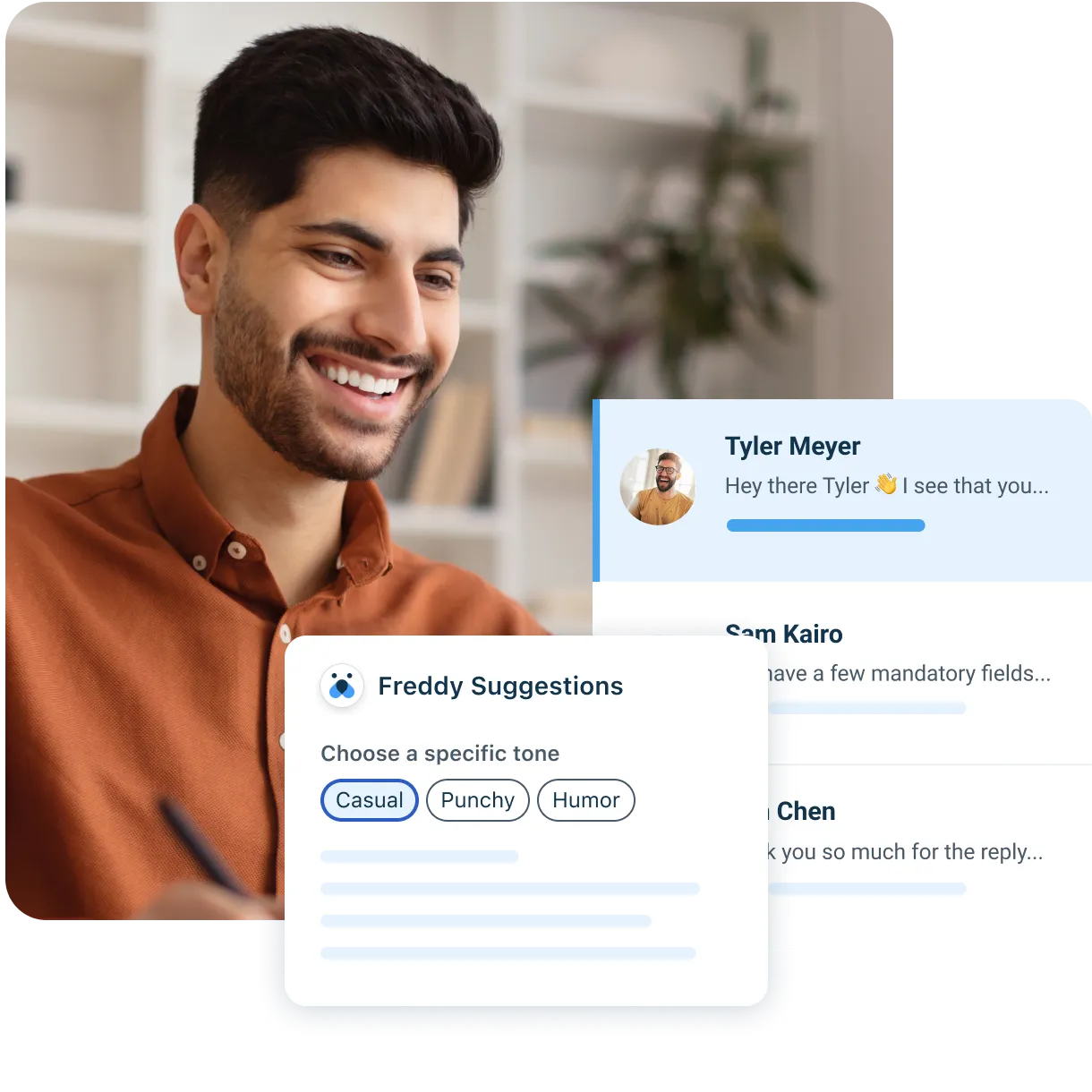
AI-powered resolution: Use Freddy AI to summarize tickets, refine tone, draft responses, and generate solution articles.
Customer satisfaction (CSAT) tracking: Gather feedback through surveys and analyze satisfaction to find areas to improve.
Pros
Intuitive interface that teams learn and adopt quickly.
Scales with the business as customer demands grow.
Ready-to-use AI with guided rollout, so teams start without building workflows from scratch.
Cons
Depth of advanced automation and reporting is tied to higher plans, so teams should map needs to plan gates before buying.
AI setup and pricing model
Freddy AI Agent is metered by session rather than by resolution. Every plan includes the first 500 sessions, once per account, and further sessions cost $49 per 100. Pro and Enterprise teams can add Freddy AI Copilot at $29 per agent/month, paying only for the agents who use it. Plans start at $19 per agent/month, billed annually, on the Growth plan, with Pro at $55 and Enterprise at $89.
Every plan includes Freshdesk MCP, which connects compatible AI tools to Freshdesk, with a yearly allowance of 1,200 MCP actions on Growth, 6,000 on Pro, and 12,000 on Enterprise. Enterprise further adds Freddy AI Insights for spotting trends and root causes, and a 14-day trial opens full access to that plan. On G2, Freshdesk holds 4.4 stars from 3,773 reviews.
View pricing · Schedule Freshdesk demo
“Freshworks is one of the best tools to manage customer interactions. Every user gets their own tickets, so tracking customer interactions with the brand is very easy… They also have a C-SAT survey for customers. Customer support is very active in resolving customer issues.”—G2 Review
Ready to see AI resolve routine complaints and hand the rest to a person? Start your free trial.
2. Zoho Desk
Zoho Desk is an online customer complaint management system offering multichannel support, reporting, and analytics. Its help center lets customers track tickets, search the knowledge base, and join community discussions without contacting an agent.
Key features
Multichannel support
Routing and automation
Collaboration tools
Agent collision alerts
Integrations
Reporting and analytics
Pros
Users often praise its ease of use, efficient ticket management, and wide range of integrations.
Cons
Some users report challenges with the login process and ticket sorting.
AI setup and pricing model
Zia AI sits on the Professional plan and above. Zia Agent Studio, for building AI agents on Zoho’s own models, runs on every plan, while pre-built Zoho Desk AI Agents are Enterprise only. A bring-your-own-key (BYOK) option connects an OpenAI key for features like sentiment analysis and smart replies. After a free edition for up to three users, paid plans begin with Express at $7 per agent/month, billed annually, for up to five users. G2 reviewers give Zoho Desk 4.4 stars across 7,925 reviews.
3. Zendesk
Zendesk Suite is a customer support solution offering a native omnichannel experience. Agents work email, voice, messaging, and social media conversations with the full customer record and saved replies beside each ticket.
Key features
Routing, AI, and automations
Reporting and analytics
Complaint tracking
Integrated customer surveys
Escalation and prioritization workflows
Integrations, SLAs, and operational level agreements (OLAs)
Pros
Recognized as a capable customer support platform with a broad feature set.
A large marketplace of pre-built apps and integrations, with popular connectors for Shopify, Salesforce, and Slack.
Cons
Each automated resolution past the plan allowance is billed, which can make AI costs hard to predict as volume grows.
A Copilot license is required for each agent on the account, including agents who would not use it.
AI setup and pricing model
Support Team, Zendesk’s entry plan, costs $19 per agent/month, billed annually. It includes five automated resolutions per agent/month (up to 15 on higher Suite plans, capped at 10,000 a year), after which each automated resolution costs $1.50 committed or $2.00 pay-as-you-go. Copilot is a $50 per agent/month add-on to Suite Professional ($115 per agent/month). On G2, Zendesk scores 4.3 stars from 7,082 reviews.
You can compare the two in more detail on the Zendesk vs. Freshdesk page.
4. Front
Built around a shared inbox for collaborative team support, Front streamlines ticket routing. Teammates comment on and escalate conversations inside Front, which also adds live chat, a knowledge base, and ticketing across channels.
Key features
Routing and automations
Reporting and analytics
Complaint tracking
Escalation and prioritization workflows
Integrations
Pros
Well-regarded shared inbox for collaborative, intuitive customer communication.
Cons
Some limitations with plug-in functionality and occasional delays in email processing.
AI setup and pricing model
Front’s Starter plan is $25 per seat/month, billed annually, for up to 10 seats. Autopilot, Front’s AI agent, starts at $0.05 per conversation, while Copilot ($20), Smart QA ($20), and Smart CSAT ($10) are per-seat monthly add-ons that Enterprise bundles in. G2 reviewers rate Front 4.7 stars over 2,506 reviews.
5. HappyFox Help Desk
HappyFox offers a ticket dashboard for categorizing, tracking, and responding to customer complaints. It pairs AI ticketing with automation and a knowledge base, and the same help desk also serves operations, HR, and IT teams.
Key features
Automations
Reporting and analytics
Complaint tracking
Integrated customer surveys
Prioritization workflows
Integrations
Pros
Appreciated for ease of use, affordability, scalability, and solid integrations.
Cons
Some users find ticket distribution within teams hard to understand and report limits on exporting tickets.
AI setup and pricing model
HappyFox prices its AI separately from the help desk plans. HappyFox AI, which assists agents on every ticket, starts at $14 per agent/month. Its Autopilot AI agents cost 2¢ per successful action, and its chatbot charges $0.33 per resolution. The Basic help desk plan is $24 per agent/month, billed annually, for up to five agents. HappyFox holds 4.5 stars on G2 from 138 reviews.
6. Salesforce Agentforce Service
Agentforce Service (formerly Service Cloud) equips agents with a unified agent view for managing customer complaints. Service teams manage cases, knowledge articles, and incidents together in an AI-powered console.
Key features
Routing, AI, and automations
Reporting and analytics
Complaint tracking
Escalation and prioritization workflows
Integrations
Pros
Strong reporting and automation of stable workflows.
Cons
Some users find the interface confusing and report stability issues.
AI setup and pricing model
Pricing begins with Starter Suite at $25 per user/month, billed monthly or annually. AI runs on Flex Credits, consumed per AI action and sold at $500 per 100,000 credits. G2 lists Agentforce Service at 4.4 stars from 8,387 reviews.
7. ProProfs Help Desk
ProProfs Help Desk consolidates and tracks complaints across channels with automated workflows. Its AI agent learns from a team’s own support data to resolve routine tickets, and it summarizes long threads and drafts replies for agents.
Key features
Communication across multiple channels and real-time chat
Interaction tracking and templated responses
Reporting/analytics and self-service portal
Support ticket and email management
Knowledge base and SLA management
Social media integration and automated routing
Pros
Competitive functionality, shared inbox, and parent-child ticketing.
Cons
Limited social media management capabilities.
AI setup and pricing model
The Essentials plan is $19.99 per user/month, billed annually, with a 1,000-ticket monthly allowance, and it already includes AI reply drafts, ticket categorization, and smart ticket assignment. AI tone rewriting and first-response generation arrive on Business, at $29.99 per user/month, billed annually. A white-label package is an optional add-on at $300 a year.
8. LiveAgent
LiveAgent offers omnichannel support and complaint tracking. It pulls phone calls, live chat, email, WhatsApp, and social media accounts into one inbox, and adds an AI chatbot and call center tools.
Key features
Ticket management and automations
Reporting and analytics
Complaint tracking
Escalation and prioritization workflows
Integrations
Pros
User-friendly interface and efficient ticket management.
Cons
Some embedding options can be challenging, with occasional spam-filtering issues.
AI setup and pricing model
LiveAgent bills per agent: Small business is $15 per agent/month billed annually ($19 billed monthly), Medium business $29 ($35), Large business $49 ($59), and Enterprise $69 ($85). AI Agents are part of every plan rather than a metered add-on, and from Medium business, LiveAgent also handles their setup.
9. Bitrix24
Bitrix24 is a versatile CRM and complaint management solution with tools for collaboration and managing customer interactions. Its contact center brings WhatsApp, Instagram, live chat, email, phone, and website forms into the CRM.
Key features
Live chat and self-service portal
Prioritization and collaboration tools
Knowledge base and reporting/analytics
Interaction and support ticket management
Email and feedback management
Alerts/escalation and canned responses
Pros
Comprehensive lead management and easy implementation.
Cons
Some users report service-quality concerns and CRM functionality issues.
AI setup and pricing model
Bitrix24 charges a flat monthly price per organization rather than per user: Basic covers 5 users, Standard 50, Professional 100, and Enterprise starts at 250. A free plan lets teams try it first. AI-powered sales tools arrive on Professional.
With the nine options compared, the next section turns from features to the results teams report after rollout.
Own the outcome: AI-powered complaint resolution for growing teams
Most software comparisons stop at features and price. What matters for a growing customer service team is whether AI actually resolves complaints and proves its value early. These are dated, permissioned results from teams using Freshdesk—each is one customer’s outcome, not a guaranteed result:
At iPostal1, 54% of queries are now resolved by Freddy AI.
Ryan Specialty hits first-contact resolution on 75% of tickets using Freshdesk.
Freshdesk and Freddy AI helped Woolacombe Bay bring average resolution time down by 69%, from 33 minutes to 10.
At Hobbycraft, Freddy AI now answers up to 30% of customer questions.
On the Freshdesk platform, Total Expert reached 248% return on investment (ROI) for customer service operations.
The common thread: Ready-to-use AI agents resolve routine requests, hand anything needing judgment to a person, and give leaders the measures to judge them by (resolution rate, containment, and time saved) before a broader rollout.
Why customer complaint management matters for businesses
Reduces customer churn: Proactively addressing complaints shows customers their concerns are taken seriously and reduces the risk of them turning to competitors.
Improves agent productivity: A cohesive system streamlines workflows so agents resolve issues more efficiently.
Prevents negative word-of-mouth: Timely resolution stops grievances from escalating into public criticism.
Enhances customer insights: Analyzing complaints reveals patterns that guide better products and decisions.
Builds a customer-centric culture: Acting on feedback signals that customers are valued.
Supports compliance: In regulated sectors, proper complaint handling is a legal requirement as well as good practice.
Drives continuous improvement: Learning from customer complaints leads to higher-quality products and services.
Strengthens brand loyalty: Customers whose complaints are resolved well often become advocates.
Compliance and audit trails in customer service
Complaint management software supports compliance by keeping timestamped records and an audit trail of every interaction: who handled a complaint, when, and how it was resolved. For customer-support contexts, this matters in retail and e-commerce, financial and banking services support, and healthcare patient support, where records may need to be produced later.
Complaint management across business sizes
Enterprise level: The focus is maintaining brand consistency across global markets with scalable, high-volume processes.
Growing teams: For growing teams, complaint management is about personalization and quick response, building closer customer relationships and standing apart from larger competitors.
How to choose the right complaint management software
Match the software to your team by working through these questions:
Team size: Is the tool built for a growing team, or does it assume a large admin group and a long rollout?
Channels: Which channels do your customers use (email, chat, web forms, social)? Confirm the platform captures all of them in one workspace.
AI model: Is AI ready to use, or must you build workflows first? Compare setup effort and the unit AI is billed in (per resolution, per outcome, or included sessions) before you commit.
Budget: Compare the base plan and the true cost once AI and add-ons are included.
Compliance: Do you need audit trails and timestamped records for a regulated support context?
Articles related to customer complaint software
Customer service
Learn more about customer service through our ultimate guide and take a look at how to improve the customer service offering of your business
Freshdesk Omni product tour
Check out Freshdesk Omni product tour and experience the AI-powered omnichannel solution with advanced conversational and ticketing capability
Customer engagement platform
Click here to scover what defines a customer engagement platform, its operations, benefits, and leading customer engagement platforms in 2026.
Customer feedback software
Explore our comprehensive guide on customer feedback tools, providing insights into the top customer feedback softwares of 2026.
Freshdesk product tour
Experience an interactive product tour of Freshdesk and explore its capabilities first hand.
FAQs on customer complaint management software
Can customer complaint management software integrate with an existing CRM or support tools?
Yes, most customer complaint management software solutions offer seamless integration capabilities with existing CRM systems and support tools to create a unified platform for managing customer interactions.
How does complaint management software differ from a generic helpdesk system?
Complaint management software is specifically designed to handle customer grievances, offering features like complaint tracking, escalation workflows, and customer feedback analysis. In contrast, a generic helpdesk system might focus more broadly on various types of customer inquiries and support tasks.
What types of businesses can benefit from complaint management software?
Businesses of all sizes and across various industries can benefit from complaint management software. Whether it's retail, healthcare, finance, or any other sector, these tools can help streamline the complaint-handling process and improve customer satisfaction.
How can customer complaint management software handle complaints from different communication channels, such as email, chat, and social media?
Customer complaint management software typically offers omnichannel support, meaning it can consolidate and manage complaints received through different communication channels like email, chat, social media, and more, providing a cohesive view of customer interactions.
Is customer complaint management software customizable to fit specific complaint management processes?
Yes, most customer complaint management software is highly customizable, allowing businesses to tailor the software to fit their specific complaint management processes, workflows, and policies.
Try the seamless AI-powered customer service solution
Start your free trial today. No credit card required.