Why HR Case Management Software is the Future of People Ops

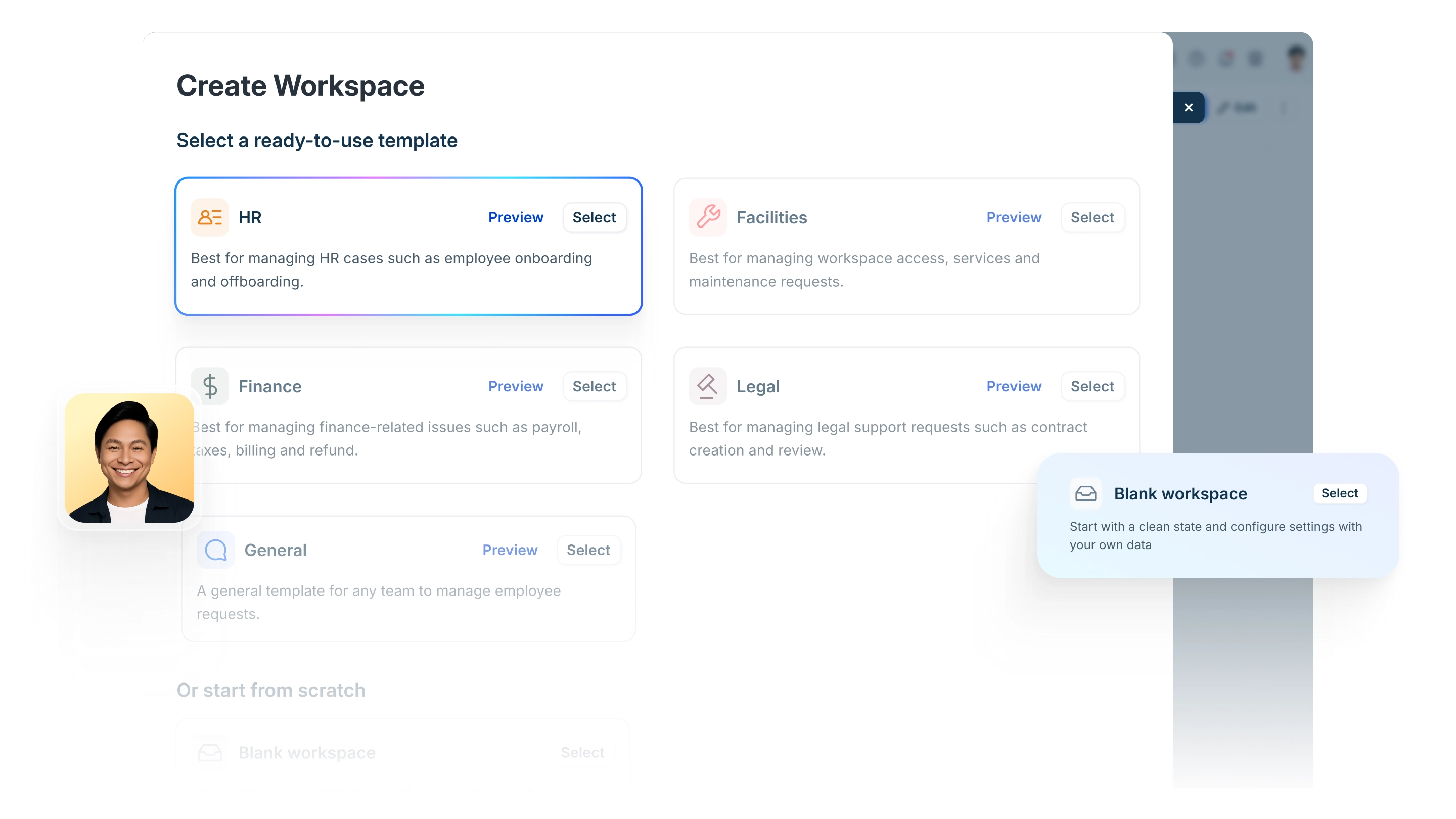
For many HR teams, the daily reality is a "black hole" inbox. Requests for benefits, payroll queries, and sensitive employee relations issues arrive in a constant stream, often lacking clear ownership or status updates. When you’re managing people’s livelihoods via email folders and spreadsheets, things inevitably slip through the cracks.
Transitioning to dedicated HR case management software isn't just about getting organized, it’s about moving from reactive firefighting to proactive, data-driven people operations
The High Cost of the "Inbox-Only" Approach
While email is familiar, it wasn't built for the complexities of modern human resources. Relying on a shared inbox leads to three critical points of failure:
The Ownership Gap: In a shared inbox, "everyone" is responsible, which often means no one is. Without an assigned owner, urgent employee requests can sit unanswered while the team assumes someone else has it covered.
Inefficient Tracking: Emails have no built-in SLAs (Service Level Agreements). It is impossible to measure response times or identify where a process is stalled, making it difficult to justify additional headcount or resources.
The Confusion Loop: We’ve all seen it, two HRBPs accidentally reply to the same email with slightly different answers. This creates a fragmented employee experience and undermines the authority of the HR department.
Why Teams are Switching to an HR Ticketing System
Upgrading to HR helpdesk software transforms the HR function from a cost center into a streamlined service provider. By centralizing communication, you unlock several key advantages:
Absolute Accountability Every inquiry is automatically turned into a ticket with a dedicated owner. Whether it’s a simple policy question or a complex employee relations case management file, there is a clear audit trail of who said what and when. This transparency is vital for compliance and internal audits.
Faster, Standardized Resolutions With SLAs and prioritization built-in, your team can prioritize "High Urgency" cases (like payroll errors) over routine requests. Automated templates also ensure that every employee receives consistent, accurate information regardless of which agent handles the case.
Data-Driven Strategy Instead of guessing which policies are confusing employees, you can use reporting dashboards to see exactly which topics generate the most questions. This allows you to update your handbook or training programs based on real-time needs.
Core Features of Modern HR Case Management Software
To successfully move away from the inbox, your chosen platform should offer more than just basic ticket management capabilities. Look for these six pillars:
Feature | Impact on HR Teams |
Automation & Workflows | Auto-routes tickets to the right specialist (e.g., benefits vs. ER) based on the topic. |
Self-Service Portal | Allows employees to submit requests and track their own status without emailing you. |
Knowledge Base | A searchable library of FAQs and policy documentation that "deflects" common questions before they become tickets. |
Integrations | Seamlessly connects with your HCM systems and existing HR tools to keep data in sync. |
Journeys | Orchestrates multi-stage HR processes like onboarding, offboarding, relocations, etc., across teams and systems. |
Analytics & Reporting | Visualizes ticket volume, peak times, and team performance metrics. |
Moving from Email to Impact: A 5-Step Transition
Switching away from shared inboxes doesn’t have to be disruptive. A structured, phased approach helps drive fast adoption across HR teams and employees, while delivering immediate efficiency gains.
Define Request Categories & Workflows Identify your most common HR requests (e.g., time-off, benefits, employee relations). Set up structured categories with automated routing, SLAs, and approvals to ensure every request reaches the right owner quickly.
Connect Employee Context Integrate your HR case management system with core HR platforms like HRIS or payroll so employee data, history, and entitlements are available directly within each case, eliminating back-and-forth and manual lookups.
Enable the HR Team Onboard HR staff with hands-on training focused on outcomes: fewer repetitive questions, better visibility into workload, and more time for strategic, employee-facing work.
Automate Employee Journeys Design guided, multi-step journeys for key employee moments, such as onboarding, role changes, or exits, so tasks, approvals, communications, and handoffs are automatically triggered across HR and partner teams.
Roll Out in Phases Begin with a pilot group or a high-volume request type. Use insights from early usage to refine workflows, expand self-service and knowledge content, and progressively bring all HR requests into a single, governed system.
The Bottom Line: HR Case Management Software replaces the chaos of the inbox with a structured, transparent, and professional service model that treats employees like the internal customers they are.
Why Freshservice for HR Case Management
Implementing an HR helpdesk isn’t just about making HR more efficient. it’s about respecting employees’ time and delivering support the way modern employees expect it.
Unified HR Case Management – Centralizes all HR requests with intelligent routing, clear ownership, and end-to-end visibility.
Omnichannel Employee Support – Enables employees to raise HR requests directly from channels they already use, like Slack or Microsoft Teams, with conversations automatically converted into trackable cases.
Guided Employee Journeys – Automates multi-step employee moments such as onboarding, role changes, and exits, coordinating tasks, approvals, and handoffs across teams. SLA-Driven Accountability – Applies service-level targets to HR requests, ensuring urgent issues like payroll or access errors are prioritized and resolved on time.
Workflow Automation – Reduces manual effort through rules-based routing, approvals, and notifications across the HR ecosystem.
AI-powered Self-Service & Knowledge – Empowers employees with instant answers through Freddy AI-powered agents, supported by a self-service portal and curated knowledge.
Freddy AI Copilot for HR – Helps HR agents work faster by summarizing long conversations and suggesting contextual, policy-aligned responses in seconds.
Actionable Insights – Provides visibility into request volumes, turnaround times, bottlenecks, and team performance.
Together, these capabilities help HR teams move from reactive, inbox-driven support to a scalable, employee-centric service delivery model—without sacrificing governance or control.