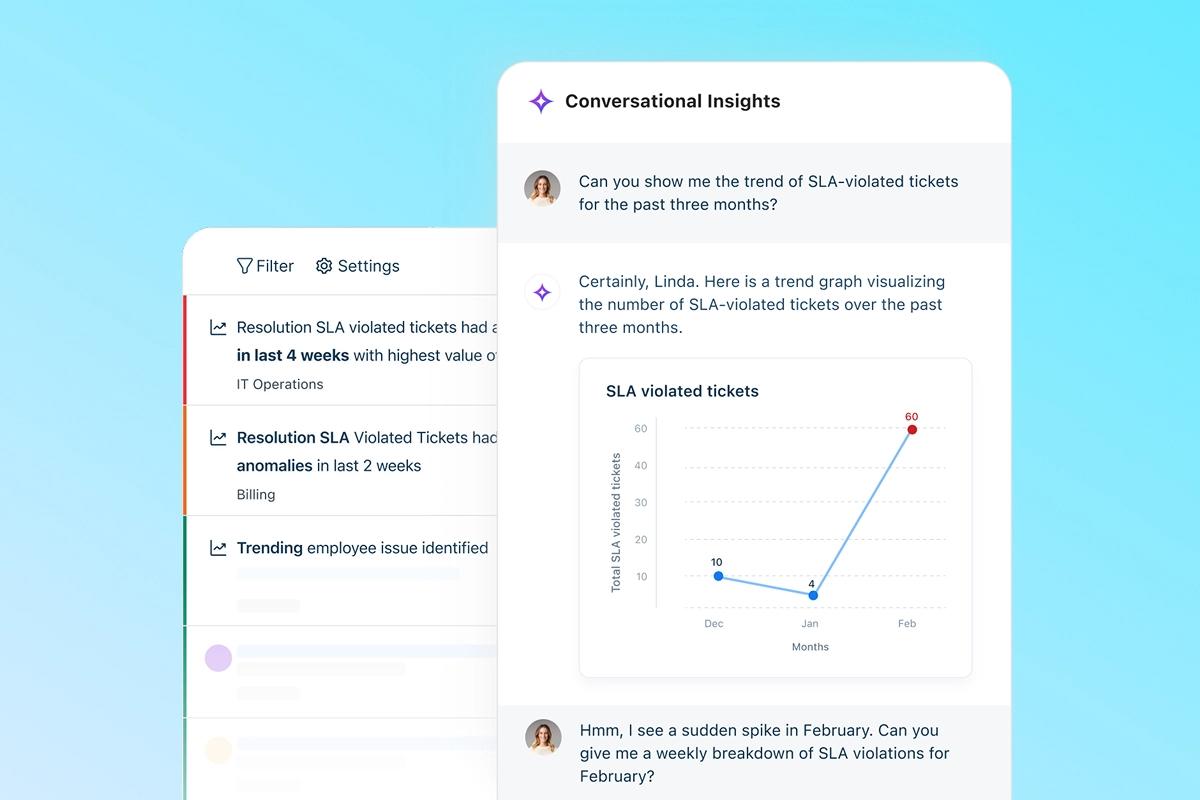
Five key benefits of using automation in customer support
Discover how AI-driven triage, intelligent workflows, and agent augmentation are reshaping today’s support experience


When it comes to customer service, expectations have risen sharply in recent years. In the past, customers were willing to wait for answers to their queries, but fast forward to today and they now expect near real-time responses and seamless service across all channels and time zones. Traditional support teams—many of which are already battling with overly complex IT—are struggling to keep pace with these demands, making customer support automation solutions an increasingly compelling proposition.
Defining modern customer support automation
Automation in today’s service ecosystem extends far beyond basic scripted chatbots. Modern customer support tools include a wide variety of technologies, ranging from AI/LLM-powered reasoning and agentic automation to intelligent routing and prioritization, workflow automation and integrated omnichannel experiences. Businesses can combine some, or all, of these capabilities to help their customer support teams move faster, deliver more accurate responses, and create smoother customer journeys.
Why automation has become critical to success
There are several core reasons why automation is quickly becoming indispensable in modern customer support, including:
Rising volume across channels: Today’s customers engage across email, chat, social, voice, and messaging apps. Automation helps distribute, categorize, and respond without overwhelming teams.
Expectations for speed and accuracy: Immediate response is becoming the norm. Automated triage, suggested replies, and self-service options reduce wait times dramatically while improving consistency.
Need for scalable, predictable service: As operations grow, automation ensures that service quality doesn’t fluctuate with volume. It establishes reliable processes and minimizes human error.
Five key benefits of using automation in customer support activity
Once in place, automation helps businesses and customer service teams quickly realize a wide range of benefits. Five of the most impactful are:
1. Faster responses: Automation streamlines first-touch interactions, reducing delays with instant answers, guided workflows, and pre-built resolution paths.
2. Lower operational costs: By handling repetitive tasks and common queries automatically, teams can manage higher volumes without significantly increasing resources.
3. Increased agent productivity: Agents spend less time searching for information or performing routine tasks. Automation surfaces relevant context, suggests next actions, and routes issues efficiently.
4. Always-on support availability: Customers receive immediate assistance at any hour through automated channels, enabling global, continuous service without additional staffing.
5. More accurate, personalized interactions: AI models interpret intent, retrieve contextual knowledge, and personalize responses based on customer history or preferences.
How automation enhances human agents
It’s important to note that automation does not replace human expertise; it amplifies it. For example, AI-assisted recommendations allow agents to deliver precise answers to customers in real time, while the reduction in repetitive workload helps free them up for more complex or empathy-driven tasks. With automation managing foundational tasks, human agents are also better positioned to handle sensitive cases, escalations, and relationship-building opportunities.
High-value automation use-cases in support operations
Below are some examples of how automation is being used to accelerate and optimize support operations for businesses around the world:
Predictive service: AI identifies issues before customers encounter them, triggering alerts, recommendations, or proactive resolutions.
Automated triage: Requests are categorized and prioritized based on intent, sentiment, complexity, or SLA requirements.
Proactive notifications: Customers receive updates about delays, renewals, outages, or next steps without needing to ask.
Knowledge retrieval and surfacing: Automation detects what information an agent or customer needs and presents it instantly.
Self-service journeys: Virtual agents guide customers through step-by-step solutions, reducing the need for manual intervention.
End-to-end workflow automation: Tasks such as order checks, password resets, refunds, or appointment scheduling can run fully or partially automated.
What to look for in modern customer support automation tools
For businesses considering implementing customer support automation tools, below are several key features and capabilities to look for:
Ease of use: Tools should be intuitive for both agents and administrators, enabling quick deployment and agile optimization.
Integrations with CRM and service channels: Automation is most effective when connected to customer data, communication platforms, and business systems.
LLM-driven capabilities: Natural language reasoning, contextual understanding, personalization, and multi-step automation workflows are now essential.
Scalability and security: Support tools must adapt to growing volumes, evolving customer needs, and enterprise-grade security standards.
Summary
Automation is no longer optional in customer support. It has become the foundation for delivering fast, reliable, and proactive service in an increasingly complex and impatient business environment. By combining intelligent workflows, AI-driven decision-making, and seamless self-service, automation empowers both customers and support teams, creating a more resilient and scalable service operation. Modern platforms that prioritize usability, adaptability, and AI-powered automation help organizations stay ahead of customer expectations as they continue to evolve.
FAQs
Q: What types of customer support tasks can be automated?
A: Automation works best for routine and predictable tasks such as answering common questions, providing order or account updates, resetting passwords, scheduling appointments, and routing tickets. More complex or sensitive issues are typically escalated to human agents.
Q: Will automation replace human customer support agents?
A: Automation is meant to support, not replace, human agents. It handles repetitive work so agents can focus on complex problems, customer relationships, and situations that require empathy and judgment.
Q: How does automation affect customer satisfaction?
A: When implemented well, automation can improve satisfaction by offering faster responses, consistent answers, and 24/7 availability. Problems arise only when customers cannot easily reach a human agent, making escalation options essential.
Q: What data and systems are needed to implement support automation?
A: Support automation requires accurate data, a reliable knowledge base, and integration with CRM or ticketing systems. Clear workflows and escalation rules are also needed to ensure issues are handled appropriately.
Q: How can businesses measure the success of customer support automation?
A: Success is measured through metrics such as first-contact resolution, reduced handling time, deflection rates, customer satisfaction scores, and cost per ticket, with a focus on balancing efficiency and experience.