What is a ticketing system? Everything you need to know in 2026
Freshdesk delivers on this promise with industry-leading AI capabilities and intelligent automation workflows. Start your upgrade today!

Oct 13, 2026
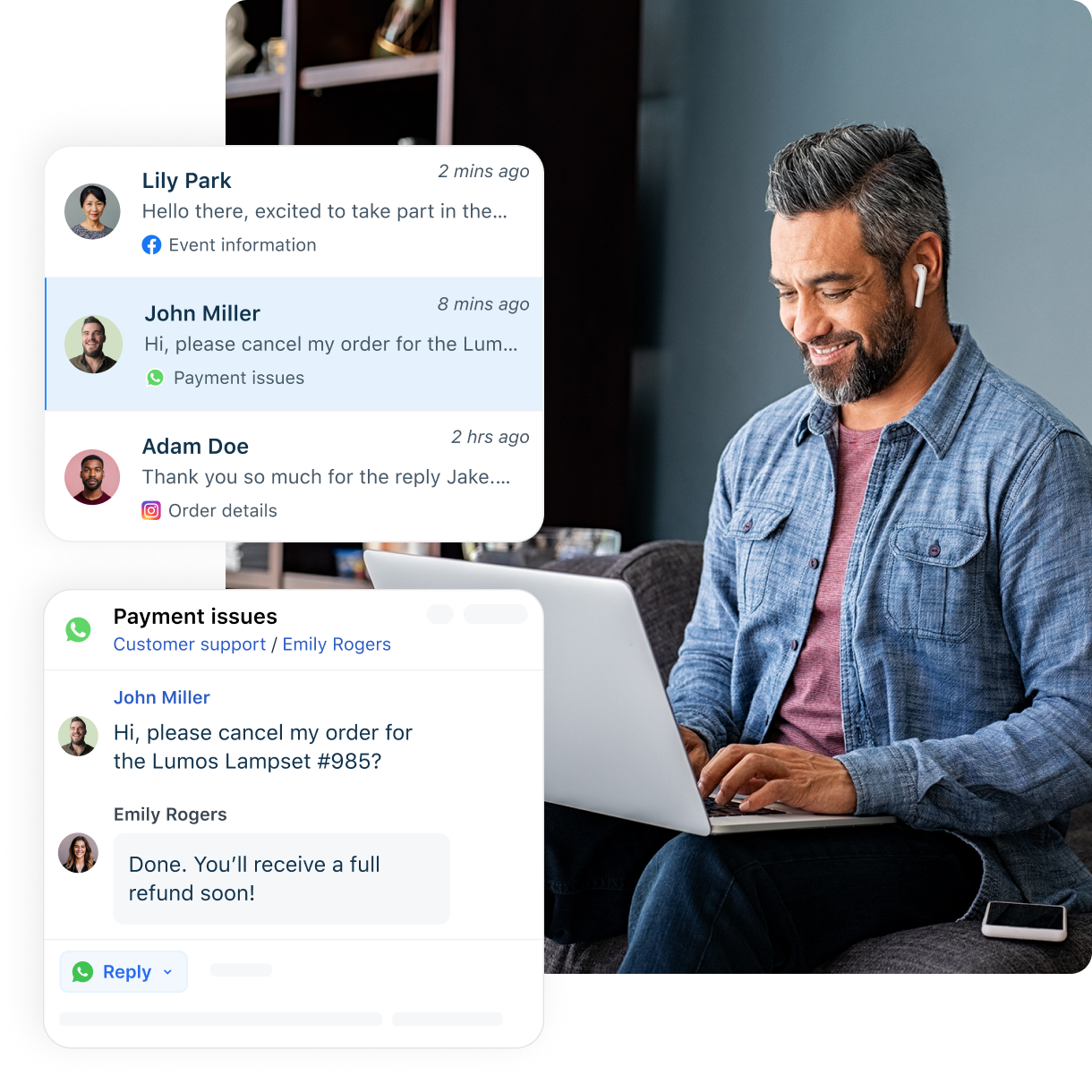
A ticketing system is a customer service software that turns customer requests from email, chat, phone, and web forms into trackable records called tickets, and manages each one from first contact to resolution. Each ticket carries a unique ID, a status, and the full customer context an agent needs to respond accurately, so nothing gets lost, duplicated, or forgotten.
Every unanswered customer query is a lost opportunity, yet many customer service teams still juggle requests scattered across channels. A ticketing system pulls those requests into one workspace, gives each a clear owner, and moves it through a defined workflow until it is closed. This guide explains how these systems work, the features that matter, the benefits by stakeholder, how AI now resolves routine tickets, and the leading options for 2026.
What is a ticketing system?
A ticketing system is software that converts incoming customer requests (from email, chat, phone, web forms, and social channels) into distinct records called tickets, then tracks each one from first submission through final resolution. It gives support teams one place to prioritize issues, assign ownership, monitor status, and manage conversations to close.
Each ticket contains essential details about the customer and their issue (a unique ID, an interaction history, contact information, and timestamps), giving agents the full context to respond accurately and empathetically. This ensures no request is overlooked and every customer feels heard.
A quick example
An online clothing store receives hundreds of emails daily for order tracking, refunds, and exchanges. Without a ticketing system, queries are missed or answered twice, leaving customers frustrated. With one, each query becomes a trackable ticket, auto-assigned to the right agent, so responses are faster, collaboration is cleaner, and customers stay happy.
This customer-service sense of the term is distinct from event or admission ticketing (selling seats to a show). This guide covers the customer service meaning throughout.
How a ticketing system works
At its simplest, a ticketing system follows a four-step lifecycle from request to resolution:
Creation: A request arriving by email, chat, phone, or web form becomes a ticket with a unique ID.
Categorization and prioritization: The system tags each ticket by type and urgency so the most pressing issues surface first.
Assignment and routing: The ticket is routed to the right agent, team, or queue, manually or by automated rules.
Tracking and resolution: The system monitors status (such as Open, In Progress, or Resolved) until the issue is closed.
The steps below expand that lifecycle for teams that want the detail.
1. Capturing customer queries
The system captures inquiries from multiple channels (email, social media, chat, phone, messaging apps, and web forms) and stores them in a central location, often a shared inbox. Capturing everything in one place ensures every request is seen and answered only once.
2. Converting queries into tickets
Collected queries are converted into tickets, each with a unique ID for easy tracking. Every ticket holds a complete description of the issue alongside the customer’s details and past messages, so agents can resolve it faster and more accurately.
3. Categorizing and prioritizing tickets
The system assigns categories and priorities for quicker escalation. Categories may cover service type (billing, sales, technical) or issue complexity; priorities weigh urgency, impact, service level agreement (SLA) deadlines, and customer tier.
4. Assigning tickets to agents or teams
Once categorized, tickets are routed to the right agent, queue, or department. Traditionally manual, this routing is now handled by AI and workflow rules such as skills-based or load-based assignment.
5. Collaborating for resolution
Some tickets need input from several teams. Collaboration tools such as internal notes, @mentions, shared ownership, and parent-child ticketing keep communication seamless, so customers never have to repeat their problem.
6. Tracking progress and status updates
Tickets are tracked until resolved or closed, moving through statuses like Open, In Progress, on-hold, awaiting customer reply, and Resolved. Dashboards show the assigned agent, ticket details, and real-time status to prevent overlap.
7. Closing the ticket and notifying customers
When an issue is resolved, the agent closes the ticket, and the customer is notified. This creates a record of the solution and triggers a post-interaction feedback survey.
8. Analyzing performance
Reporting and analytics let customer experience (CX) leaders track key performance indicators (KPIs) such as response time, average handle time, and customer satisfaction score (CSAT) to measure how effectively agents resolve tickets and where to improve. For a deeper look at what to measure, see the help desk KPIs that customer service teams track.
Core benefits
Three benefits sit at the heart of every ticketing system:
Centralization: Requests from every channel land in one workspace instead of scattered inboxes, so nothing slips through.
Accountability: Every issue has a clear owner and a unique ID, making it easy to see who is responsible and where each ticket stands.
Efficiency: Automation handles routine categorization and routing, so agents spend their time on the requests that need a human.
Key features and capabilities of a ticketing system
A good ticketing system does far more than log issues. Here are the core capabilities that make it work.
Omnichannel support
Omnichannel support captures requests from email, phone, SMS, chat, and social media into one place as tickets, so none are lost or duplicated and agents never switch between platforms.
Unified agent workspace
A centralized agent workspace lets agents manage tickets from all channels in one view, with the full ticket history and customer context needed for accurate resolutions.
Automation and workflow management
Automated ticketing systems remove repetitive work (categorization, prioritization, assignment, status updates, customer notifications, and macros), powered by a mix of AI and rules-based workflows.
AI agents
Modern ticketing systems include AI agents that interact with customers directly, resolve common requests using the knowledge base and other sources, such as web pages and files, and suggest relevant articles. Connected to the systems a business runs on, they can also act on a request, for example, issuing a refund, swapping an item, or moving a booking.
For anything that needs judgment, they gather the details and hand the conversation to a human agent with full context attached. Freshdesk’s Freddy AI, for example, understands customer intent, delivers personalized responses, and automates routine support tasks.
AI copilot for human agents
An AI copilot cuts the time agents spend reading, searching, and writing, so they resolve tickets faster and answer more consistently. It summarizes long threads so an agent who takes over a ticket can catch up at a glance, drafts replies from the ticket and its history, flags frustrated or urgent customers so they are answered first, and pulls up similar past tickets and relevant knowledge base articles.
Freshdesk’s Freddy AI Copilot is one example: it also translates conversations live in more than 60 languages and turns agent replies into new knowledge base articles.
Internal collaboration tools
A customer support collaboration tool lets agents work a single ticket together (with private notes, @mentions, shared ownership, and escalation) without cluttering customer-facing communication.
Out-of-the-box interface
Many ticketing systems ship pre-configured and ready to use, with a familiar interface that needs little training, so teams onboard quickly.
Self-service portals and knowledge base integration
These systems let you build and integrate a knowledge base of articles, guides, and FAQs to power self-service portals. Customers find answers on their own, more requests are resolved without an agent, and overall volume drops.
Reporting and analytics
Pre-built and custom customer service reports track ticket volumes, resolution times, agent availability, average handle time, and first-contact resolution, so teams can spot inefficiencies and improve.
SLA tracking
Managers define SLAs for response and resolution times; the system monitors them, reminds the assigned agent before a breach, and escalates to a supervisor if one happens, building accountability and trust.
Customer feedback and CSAT tracking
Post-resolution CSAT and Net Promoter Score (NPS) surveys measure how satisfied customers are and how likely they are to recommend your business.
Integrations with third-party business apps
Leading systems integrate with CRM tools, billing software, project management tools, and more, giving agents the context to respond accurately without switching tools. The same goes for the AI tools a team already uses.
Freshdesk, for example, does this through Freshdesk MCP, which gives compatible AI tools access to tickets, conversations, and customer information. It also offers ready-made integrations with apps such as Slack, Microsoft Teams, Shopify, and Jira, and the Freshworks Marketplace adds ready-to-install apps for the tools a team uses beyond those.
How AI resolves tickets in a modern ticketing system
The newest capability in a ticketing system is AI that resolves routine requests and brings in a person when a request needs judgment. Freshdesk builds this into its ticketing system as AI-powered customer service, with three Freddy AI capabilities working together: Freddy AI Agents resolve common requests, Freddy AI Copilot surfaces context and next steps for agents, and Freddy AI Insights turns service data into action.
Freshdesk customers show what that looks like in practice:
At iPostal1, Freddy AI resolves 54% of queries.
Ryan Specialty resolves 75% of tickets on first contact with Freshdesk.
Woolacombe Bay cut average resolution time by 69% with Freshdesk.
At Hobbycraft, Freddy AI answers up to 30% of questions.
These are individual customer results, not a guaranteed outcome for every team, but they show the range that ready-to-use AI can reach.
Every Freshdesk plan includes free Freddy AI Agent sessions to start, with more sold in packs, and Freddy AI Copilot is a per-agent add-on on the Pro and Enterprise plans. The comparison table below gives the figures beside each competitor’s AI pricing.
Ready to see AI resolution on your own tickets? Start a free Freshdesk trial.
Common use cases
Ticketing systems earn their keep across customer service scenarios:
Customer support: Managing product questions, order issues, returns, and billing queries across email, chat, phone, and social from one workspace.
Growing teams scaling support: Handling rising ticket volume with existing staff during peak hours, seasonal sales, and busy periods without adding headcount at the same rate.
Turning service data into decisions: Using reporting and AI Insights to spot trends, prove ROI, and refine staffing and training.
Benefits of using a ticketing solution
Beyond the three core benefits above, a ticketing system delivers value to each group involved.
Benefits for customers
Faster resolution: Self-service portals with a knowledge base and AI agents let customers resolve common queries without waiting on an agent.
Better transparency: Customers track their requests in real time using unique ticket IDs and self-service portals.
Round-the-clock help via AI: AI agents resolve common inquiries and share help articles even outside business hours.
More convenience: Customers reach support through the channel they prefer, such as email, chat, phone, or social.
A consistent experience: Full context means customers never repeat themselves when redirected.
Benefits for support agents
Centralized workspace: All queries and customer profiles in one place, with no inbox-switching.
Better collaboration: Private notes, shared ownership, and @mentions to resolve complex issues together.
Reduced workload: AI agents, AI copilots, and automation clear routine work so agents focus on priority cases.
Knowledge at hand: Instant access to knowledge base articles for accurate responses.
Higher productivity: An AI copilot summarizes threads, surfaces context, and drafts empathetic replies.
Benefits for businesses
Operational efficiency: Automated routing and AI resolution of routine queries free people for complex work.
Improved retention: Retaining customers is more cost-effective than acquiring them; faster, more helpful support keeps them.
Data-driven insights: KPIs across response time, handle time, volume, and satisfaction guide strategy and training.
Scalability: Handle more queries with existing staff as volume grows.
Cost-efficiency: One system replaces fragmented tools and prevents lost tickets.
Leading ticketing software of 2026
Buyers have many options. The table below compares popular customer service ticketing solutions on base price, AI model, and key features—because AI setup and AI pricing now matter as much as feature lists. Competitor prices and ratings are shown with their as-of dates.
Product | Base price | AI pricing model | Rating | Key features
|
|---|---|---|---|---|
Freshdesk | $19 per agent/month, billed annually (Growth plan) | Per session: the first 500 Freddy AI Agent sessions are free, once per account, then $49 per 100 sessions; Freddy AI Copilot is $29 per agent/month on Pro and Enterprise | 4.4 on G2 (3,773 reviews) | Ready-to-use Freddy AI Agent and Copilot, Freshdesk Command Center, omnichannel support, unified agent workspace, self-service portal, reporting and analytics, 1,000+ Marketplace integrations |
Zendesk | $19 per agent/month, billed annually (Support Team plan) | Per automated resolution: 5 per agent/month on Support Team (up to 15 on higher Suite plans), then $1.50 committed or $2.00 pay-as-you-go; Copilot $50 per agent/month, billed annually, from Suite Professional | 4.3 on G2 (7,082 reviews) | Multichannel support, knowledge base, AI-driven automation. Its AI agent builder needs configuration before it runs live workflows |
Intercom | $19 per seat/month, billed annually (Essential plan) | Per outcome: Fin, Intercom’s AI agent, costs $0.99 per outcome; Copilot $29 per seat/month, billed annually | 4.5 on G2 (3,915 reviews) | Help desk inbox, help center, and ticketing, with Fin answering customers first |
Agentforce Service (formerly Service Cloud) | $25 per user/month, billed monthly or annually (Starter Suite) | Per AI action: Flex Credits at $500 per 100,000 credits | 4.4 on G2 (8,387 reviews) | Omnichannel ticket management, incident management, unified agent workspace |
Kayako | Price on request (Kayako One), with no seat fees | Per resolved ticket: $1 for each ticket its AI agent resolves | 4.1 on G2 (186 reviews) | Shared inbox, knowledge base, ticket workflows |
Gladly | Price on request | Voice AI $0.06216 per minute, plus telephony charges | 4.7 on G2 (1,101 reviews) | People-centered help desk, omnichannel conversations, voice AI |
For growing customer service teams that want results from AI without a long transformation program, Freshdesk is the practical choice: ready-to-use AI agents rather than a builder to configure, one connected platform where AI agents, Freddy AI Copilot, and Freddy AI Insights work together, and a guided rollout that proves value early. Freshdesk Command Center gives agents one workspace where they pick up requests from every channel, with the customer’s details and the next step alongside.
Success stories: Customer service teams using Freshdesk
Hinge Health
Hinge Health, a digital health startup offering a virtual clinic for back and joint pain, struggled with growing ticket volumes, poor internal workflows, and SLA tracking before Freshdesk. Its HIPAA-compliant ticketing solution provided secure member data handling and omnichannel support, while chatbots cut first-response times from hours to minutes.
Impact in numbers: 92% SLA compliance on response time · 85% CSAT · 3,685% ticket volume increase over four years
“Freshdesk has helped us install more efficient workflows and processes while still maintaining HIPAA compliance. — Mahmoud Shehadeh, Director of Member Support, Hinge Health
Bridgestone
Bridgestone, the world’s leading tire production and distribution company, adopted Freshdesk to replace an outdated system that lacked multichannel support. With Freshdesk, it delivered superior multichannel support, used SLAs to lift productivity, and scaled customer support significantly.
Impact in numbers: 150 days on Freshdesk · 4,000+ tickets solved · 15 agents
“We adopted Freshdesk because it is a highly adaptable solution with metrics that allow us to track and follow up on our customers and agents efficiently.” — Christophe Tomborski, Back Office Manager, Bridgestone
Move from your first AI agent to AI-powered customer service with Freshdesk
Trusted by more than 50,000 businesses worldwide, Freshdesk helps customer service teams move from their first AI agent to AI-powered customer service. AI agents resolve routine requests and bring in your team when a customer needs a person; an omnichannel workspace keeps channels and customer context connected; Freddy AI Copilot helps every agent perform at their best, and Freddy AI Insights uncovers the trends and root causes behind service data. Ready-to-use AI and guided rollout help teams see value early and progress at their own pace.
Want to try it with your own team? Book a personalized demo, or start a 14-day free trial with full access to the Freshdesk Enterprise plan.
Frequently asked questions
What is a ticketing system?
A ticketing system is the operating layer for support: instead of requests living in personal inboxes or chat windows, every one becomes a numbered record with an owner, a status, and a deadline. The practical test of whether you need one is simple: if two agents have ever answered the same customer, or a request has ever gone unanswered for a day, a ticketing system solves that.
How does a ticketing system improve customer experience?
A ticketing system improves customer experience by making sure every request gets an owner and a reply. Customers answer common questions themselves through self-service portals and AI agents, follow each request’s progress by its ticket ID, and explain their issue only once, because the ticket’s history moves with it when another agent takes over.
Can ticketing systems integrate with other business tools?
Yes, and the integrations worth prioritizing are the ones that put customer data in front of the agent: a CRM connection to see account history, and a billing link to check orders or invoices without leaving the ticket. Before buying, confirm the specific apps your team uses are supported natively rather than only through a paid connector.
What types of businesses need a ticketing system?
Ticketing systems suit customer support operations managing product questions, order issues, returns, and billing queries across email, chat, phone, and social from one workspace. They also help growing teams handle rising ticket volume with existing staff during peak hours and seasonal sales, and teams that want to turn service data into staffing and training decisions.
How do you choose the right ticketing software for your business?
Start by analyzing your business requirements, such as the channels your customers prefer most, average ticket volume, budget, and team size. Then, identify the features you need, such as omnichannel support, AI-driven automation, workflow builders, AI agents, and AI copilots. Next, shortlist a few ticketing solutions with strong reviews, reputation, and features that match your budget.
Evaluate ease of use, scalability (ability to handle growing ticket volumes without performance issues), and the quality of training/onboarding support provided by the vendor. Finally, choose the solution that offers the right balance of features, brand trust, and cost-effectiveness for your business.
Related resources
10 best free ticketing software of 2026
Explore the top 10 free ticketing software of 2026 and compare features, pricing, pros, and cons to choose the right tool for your business.
Top 15 Email Ticketing Systems of 2026
Explore the best email ticketing systems for 2026 and find smart solutions to improve your customer support.
Cloud-Based Ticketing System Guide for Helpdesks
Discover the advantages of a cloud-based ticketing system. Learn key benefits, best practices, and see how Freshdesk compares today.
AI Ticketing System: Features and 5 Best Software
Boost customer support efficiency with AI ticketing. Explore benefits, features, and the top 5 systems for faster responses and happier customers.