Migrating from Zendesk to Freshservice
Move your help desk operations to Freshservice with confidence and zero business disruption.


Modern organizations face mounting pressure to optimize their service desk operations while controlling costs. Many businesses discover that their current Zendesk setup no longer meets the growing needs for advanced ITSM capabilities or cost-effective scaling.
A Zendesk-to-Freshservice migration offers a pathway to enterprise-grade service management without the traditional complexity or hefty price tag.
Let's explore every aspect of moving from Zendesk to Freshservice, from initial planning to post-migration optimization. We’ll explore strategies to transfer your data seamlessly, ensuring business continuity throughout the process. This will enable you to leverage Freshservice’s advanced automation features and improve operational efficiency.
Let's start by exploring the compelling business reasons why organizations choose to transfer Zendesk to Freshservice.
Why migrate from Zendesk to Freshservice?
The decision to move from Zendesk to Freshservice typically stems from several critical business drivers that organizations encounter as they scale their IT operations.
Here are a few vital driving factors:
Enhanced ITSM capabilities: Zendesk excels at basic ticketing; however, many organizations require robust IT service management (ITSM) features. Freshservice delivers comprehensive ITIL-aligned processes, including incident, problem, change, and release management within a unified platform. This eliminates the need for multiple tools and reduces operational complexity.
Significant cost reduction: Organizations often achieve substantial savings by migrating from Zendesk to Freshservice. Freshservice's predictable pricing model and lower total cost of ownership make it particularly attractive for growing teams. The service desk platform eliminates several hidden costs associated with add-ons and integrations required in other solutions.
Advanced automation and AI: Freshservice's Freddy AI works immediately without extensive configuration. The AI-powered features include custom ticket routing and predictive analytics that support help teams to resolve issues faster. This contrasts with Zendesk's more limited automation capabilities, especially at lower pricing tiers.
Unified IT operations: Instead of managing separate ITSM tools, Freshservice integrates these functions into a single, unified platform. This unified IT infrastructure management approach reduces data silos and provides better visibility across your entire IT environment.
Faster implementation: Organizations appreciate Freshservice's shallow learning curve and quick deployment times. Teams can become productive much faster compared to other enterprise solutions.


Now that you understand the key benefits, let's explore the essential preparation steps to ensure a smooth migration.
Key pre-migration planning steps
Successful migration from Zendesk to Freshservice requires thorough preparation. Use this checklist-style plan to bring teams together and avoid the most common pitfalls:
Complete data discovery and audit
Inventory all tickets, users, organizations, and custom fields in your Zendesk instance.
Identify critical workflows, automation rules, and integrations that need to be recreated.
Document custom field mappings and data relationships.
Calculate total data volume to estimate migration timeframes.
Stakeholder alignment and communication
Secure executive sponsorship and budget approval.
Identify key users who will champion the new platform.
Create a communication plan for end-users about the upcoming change.
Establish success metrics and timeline expectations.
Scope definition and prioritization
Decide which historical data should be migrated rather than archived.
Determine whether all custom fields and workflows need to be recreated.
Plan for any data cleanup opportunities during migration.
Set clear boundaries on what will and won't be migrated.
Technical preparation requirements
Generate API credentials for both Zendesk and Freshservice.
Create matching custom fields in Freshservice before migration begins.
Disable email notifications and automation rules to prevent conflicts.
Prepare backup systems and rollback procedures.
Risk mitigation planning
Identify dependencies between different data types.
Plan for field mismatches and data transformation needs.
Establish validation procedures to verify data accuracy.
Create contingency plans for potential migration issues.
Migrating from Zendesk? Try Freshservice for free and see the difference.
Data types and entities you can migrate
Understanding which information transfers successfully enables organizations to set realistic expectations and plan for the manual handling of unsupported data types. Most primary IT help desk entities migrate automatically, while specialized configurations may require additional attention.
Automated migration entities
These are data types that typically transfer over smoothly using the migration tool.
Zendesk entity | Freshservice target | Migration notes |
Agents | Agents | Complete profiles and role assignments |
Organizations | Departments | Structural relationships preserved |
Customers | Requesters | Full interaction histories maintained |
Tickets | Tickets | Status progressions and resolution documentation |
Categories | Categories | Knowledge base organizational structures |
Sections | Folders | Content categorization hierarchies |
Articles | Articles | Complete documentation with formatting |
Additional transferable data
While not always migrated by default, these items can often be included with the proper configuration or third-party tools.
Ticket comments and internal notes
File attachments and inline images
Custom field values and configurations
Tags and labels for categorization
Time tracking and billing information
Entities requiring manual configuration
Some elements can’t be migrated automatically and need to be rebuilt or reconfigured manually post-migration.
Complex automation rules and triggers
Advanced workflow configurations
Third-party integration settings
Custom reporting dashboards
SLA policies and business rules
Organizations should prioritize migrating active, business-critical data while archiving infrequently accessed historical information. This approach reduces migration complexity and improves performance during the transition period.
With data mapping requirements clear, let's explore the available tools and methods for executing your migration.
Tools and methods for migration
Organizations have several options for transferring data from Zendesk to Freshservice, each with distinct advantages and limitations. Selecting the right approach depends on data volume and available technical resources.
Automated migration wizards
These tools are ideal for teams that want a fast, guided migration experience with minimal manual setup. Here's what they typically offer:
Guided interfaces for field mapping and data transformation.
Handling of complex entity relationships automatically.
Built-in validation and error handling capabilities.
Support demo runs for testing before full implementation.
API-based migration
When off-the-shelf tools don’t cut it, API-based migration lets you tailor various details. They:
Enable custom scripting for specialized data handling requirements.
Support incremental migration for large datasets.
Require technical expertise for development and troubleshooting.
May encounter rate limiting during bulk operations.
CSV/Bulk import methods
If your data is clean and straightforward, bulk import via CSV is a flexible, low-tech way to move key records.
Suitable for straightforward data transfers without complex relationships.
Allows manual review and cleanup before import.
Works well for knowledge base content and user directories.
Limited support for maintaining entity relationships.
Time-intensive for large datasets.
Hybrid approaches
Hybrid methods combine the strengths of multiple approaches, offering flexibility for complex environments. They:
Combine automated tools for core entities with manual handling for specialized data.
Support phased migration approaches for complex environments.
Provide flexibility for addressing unique business requirements.
To help you choose the best approach based on your data complexity and internal resources, here's a side-by-side comparison of migration methods, including their ideal use cases and common limitations.
Method | Ideal for | Limitations |
Migration Wizard | Most organizations | May require field customization |
API scripts | Complex custom requirements | Requires development resources |
CSV import | Simple data structures | Limited relationship handling |
Hybrid | Mixed complexity needs | Longer implementation timelines |
The automated Migration Wizard approach offers the best balance of functionality and ease of use for most organizations, while API-based methods suit environments with extensive customizations.
Let's now take a look at a structured migration implementation process.
Step-by-step migration process
Executing your Zendesk-to-Freshservice migration requires careful attention to sequence and timing. Each step builds upon previous activities. Ensure each step is completed before advancing to the next phase.
Connect Zendesk and Freshservice
Establish secure connections between both platforms using API credentials. Configure authentication and test connectivity before proceeding with data mapping activities.
Field and schema mapping
Define how Zendesk data structures align with Freshservice equivalents. Map custom fields, user roles, and organizational hierarchies to ensure accurate data representation.
Demo/Test migration
Execute a limited migration using recent data samples. Validate field mappings, data relationships, and identify any transformation issues requiring resolution.
Run full migration (Bulk + Delta)
Start the complete data transfer process. Monitor progress closely and be prepared to pause if issues arise during bulk data movement.
Validation and reconciliation
Compare source and target systems to verify data accuracy. Check record counts, field values, and relationships to ensure a complete transfer.
Go live and cutover
Deploy Freshservice for all users while decommissioning Zendesk access control. Provide user training and support during the initial transition period.
With the core migration steps complete, it’s time to address the more nuanced data that requires special handling.
Want expert guidance for your migration project?
Handling attachments, comments, and advanced data
Moving complex data elements requires careful consideration of trade-offs between migration speed and data completeness.
Attachment migration strategies
Organizations can choose to migrate all attachments, only recent attachments, or skip attachments entirely to speed up the process. Migrating attachments significantly increases transfer time and storage requirements while preserving the complete ticket context. Many organizations opt to migrate only recent attachments while archiving older files separately.
Comment and conversation preservation
The migration process maintains complete conversation threads. This includes internal notes and public comments. Time stamps and user attributions remain intact. This preserves the complete history of customer interactions. The migration process transfers side conversations and private notes while maintaining proper visibility settings.
Custom field and tag handling
Create custom fields in Freshservice with matching data types and options before migration. Tags migrate directly and help maintain existing categorization systems. Multi-select fields and dropdown options need careful mapping to ensure data integrity.
Related record management
Linked tickets, parent-child relationships, and ticket dependencies are transferred seamlessly, maintaining all established connections. The migration tool maintains these relationships automatically. This ensures that complex ticket hierarchies remain functional in Freshservice.
Advanced data considerations
Some Zendesk-specific features, such as specific automation triggers or custom apps, won't have direct equivalents in other platforms. Plan to recreate these using Freshservice's native capabilities or third-party integrations available in the marketplace.
Proper handling of these elements is important, yet it must be approached with minimal impact on ongoing business processes.
Minimizing downtime and ensuring data integrity
Strategic planning prevents service disruptions while maintaining complete data accuracy throughout the migration process. These approaches enable organizations to transition with minimal impact on daily operations.
Here are some strategies to do this:
Delta migration strategy: Execute initial bulk transfer followed by incremental updates for changes made during the migration window. This approach reduces final cutover time while ensuring no data loss occurs.
Change freezes: Temporarily restrict new ticket creation and major configuration changes during critical migration phases. Communicate freeze periods clearly to all stakeholders with specific start and end times.
Validation protocols: Implement automated checks to compare record counts and verify relationship integrity between source and target systems. Address discrepancies immediately before proceeding with subsequent phases.
Parallel operations: Run both systems simultaneously during the initial post-migration period. Do this to validate functionality and provide fallback options. Monitor performance metrics and user feedback before final decommissioning.
Backup procedures: Create complete system backups before beginning migration activities and maintain them throughout the project timeline. Establish clear rollback procedures in case you need to revert to original configurations due to issues.
Once your migration is completed successfully, it’s time to shift focus to cleanup and optimization. This ensures your new environment is fully functional and secure.
Post-migration tasks and cleanup
Migration completion marks the beginning of optimization activities to drive long-term success and user adoption. These tasks solidify the transition while maximizing platform benefits.
System configuration: Activate Freshservice automation rules, workflow configurations, and notification settings that were disabled during migration. Test all automated processes with live data to ensure proper functionality.
User training: Conduct comprehensive sessions covering differences in the Freshservice interface and new capabilities. Provide documentation and support resources for ongoing reference.
Workflow mapping: Configure service catalogs and approval processes to match organizational requirements. Optimize routing rules and assignment logic for improved efficiency.
Performance monitoring: Track key metrics including ticket resolution times and user satisfaction scores. Identify and resolve performance issues while gathering feedback to identify additional IT automation opportunities.
Legacy cleanup: Archive Zendesk data in accordance with retention policies and decommission old system access. Maintain backup copies for compliance requirements while eliminating ongoing licensing costs.
With these post-migration activities complete, you're positioned to take full advantage of Freshservice's advanced capabilities.
Why Freshservice is ideal post-migration
Your Zendesk-to-Freshservice migration enables enhanced service management capabilities that drive measurable business improvements.

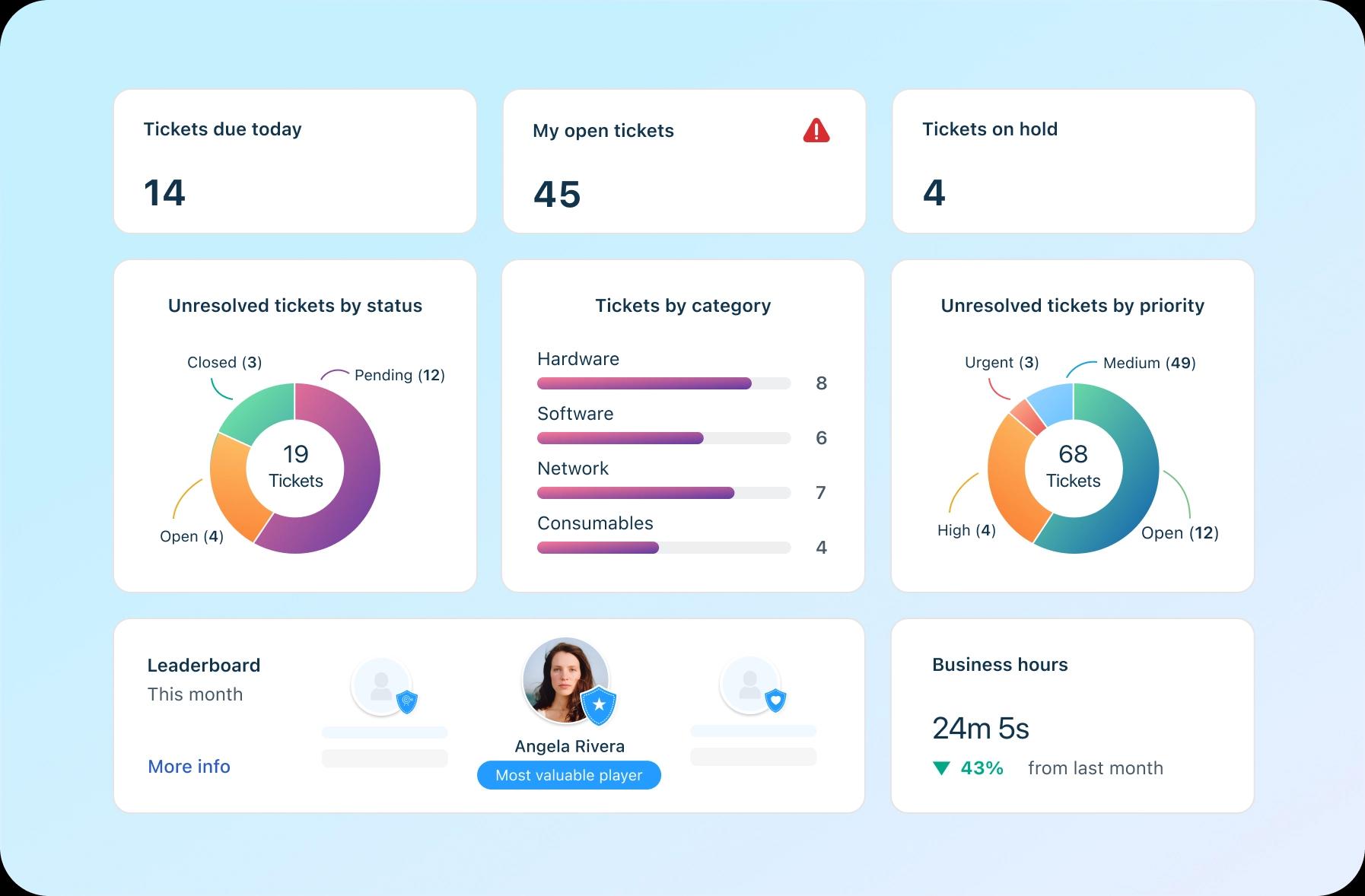
Here are some reasons for why this is true:
Enterprise-grade ITSM without complexity: Freshservice delivers comprehensive IT service management features. This includes incident management, problem management, change management, and asset management in a single unified platform. Unlike solutions that require extensive customization, Freshservice works effectively right out of the box while remaining easy to use and maintain.
Comprehensive service management capabilities: Advanced features include service catalog management, change management, problem management, and integrated knowledge management, supporting mature IT service delivery practices aligned with ITSM best practices.
AI-powered automation: Freddy AI provides intelligent ticket routing and predictive analytics without requiring complex setup or training. This people-first approach to artificial intelligence helps your team resolve issues faster while significantly reducing manual workload.
Unified IT operations management: Rather than handling separate tools for service desk and monitoring, Freshservice combines these functions seamlessly. This integration eliminates data silos and provides complete visibility across your IT infrastructure from a single dashboard.
Predictable costs and fast ROI: Freshservice's transparent pricing model eliminates surprise costs and hidden fees common with other platforms. Organizations typically see positive returns within months, driven by reduced operational overhead and improved team productivity.
Rapid implementation and user adoption: The platform's intuitive design and shallow learning curve enable quicker implementation. This reduces the typical adjustment period associated with new ITSM software implementations and makes adoption successful.
Scalable platform for growth: Freshservice scales effortlessly without performance degradation. The platform grows with your organization while maintaining the same user-friendly experience.
Ready to experience these benefits firsthand?
today to see how Freshservice can improve your IT service delivery.
Frequently asked questions related to Zendesk to Freshservice migration
What are the first steps to migrate from Zendesk to Freshservice?
Begin with a thorough audit of your current Zendesk data and configurations. Generate API credentials for both platforms and create matching custom fields in Freshservice. Then, disable automation rules that might interfere with the migration process.
Can I migrate ticket history from Zendesk to Freshservice?
Yes, you can transfer complete ticket histories, which include all comments, attachments, and metadata, to Freshservice. The migration process preserves conversation threads, timestamps, and user attributions, maintaining the full context of customer interactions throughout the transfer.
What data can I migrate from Zendesk to Freshservice?
Most standard data migrates successfully. This includes tickets, users, organizations, custom fields, knowledge base articles, and attachments. However, automation rules and specific Zendesk integration features require manual recreation using Freshservice's native capabilities.
What are the common challenges with Zendesk to Freshservice, and how to overcome them?
Field mapping mismatches and the recreation of automation rules are the most frequent challenges. Create matching custom fields before migration and document all automation logic for recreation to overcome these challenges. Professional migration services can help address complex scenarios.
How long does the Zendesk to Freshservice migration process take?
Timeline varies based on data volume and complexity. Small organizations might complete migration in days, while large enterprises may require weeks. Your migration team should run demo migrations to establish realistic timeframes and use delta migration approaches to significantly reduce final cutover windows.
Can I migrate from Zendesk to Freshservice without downtime?
Yes. By using delta migration approaches and parallel system operation, you can minimize or eliminate downtime. Professional migration services specialize in zero-downtime transitions that preserve business continuity throughout the process while ensuring complete data integrity.