8 Best HIPAA-compliant ticketing systems
Compare thethe top 8 ticketing systems compliant with HIPAA regulations and choose the right one for your business today!


A HIPAA-compliant ticketing system is a help desk platform backed by a signed business associate agreement (BAA) andset up with technical safeguards — encryption of stored and transmitted data, role-based access control (RBAC), and audit logs - to protect protected health information (PHI). No software is inherently or officially ‘HIPAA-certified’: compliance is a shared responsibility between the vendor's safeguards and your own configuration, staff training, and data-minimization practices.
Platforms that support HIPAA workflows include Freshdesk, Comm100, Jitbit, Giva, HappyFox, and OneDesk. Below, we cover the core compliance requirements to look for, how Freshdesk supports HIPAA-aligned customer service, and eight platforms worth comparing.
What is HIPAA?
HIPAA — the Health Insurance Portability and Accountability Act — is a United States Act of Congress in place since 1996. Its primary focus is to protect sensitive patient health information from being disclosed without authorization. HIPAA sets national standards for safeguarding protected health information (PHI) and requires healthcare organizations to ensure its confidentiality, integrity, and availability. It includes the Privacy Rule, Security Rule, Breach Notification Rule, and Enforcement Rule.
For customer service teams in healthcare — patient support desks, member services, clinic front offices — the practical question is not whether a tool is ‘certified,’ but whether the vendor signs a BAA and whether you configure the platform to keep PHI protected.
Core compliance requirements
Whatever platform you choose, look for each of these safeguards:
Signed BAA: The vendor must legally sign a business associate agreement before you place any PHI in the system. This is the foundational, non-negotiable gate.
Encryption: Ticket data should be encrypted while it is stored and while it moves between systems. Ask each vendor which encryption standards it uses.
Role-based access control (RBAC): Permissions should be scoped by role so agents see only the PHI their job requires.
Audit logs: The system must record who accessed or changed a record, when, and from where, so activity is traceable during a compliance review.
Multi-factor authentication (MFA) and session timeouts: Extra login verification and automatic logout reduce the risk of unauthorized access on unattended devices.
Data minimization: Keep PHI out of ticket subject lines and unencrypted custom fields, collect only the minimum necessary information.
Cloud vs. on-premise fit: Decide whether a hosted SaaS platform with a BAA or a self-hosted deployment behind your own firewall better matches your risk posture.
Remember: no help desk is HIPAA-compliant out of the box. Compliance comes from the vendor's safeguards plus your configuration, access policies, and staff training working together.
How Freshdesk supports HIPAA workflows
Freshworks signs a business associate agreement (BAA) covering Freshdesk and its omnichannel products. The BAA stays valid only while the account follows the mandatory settings in the Freshdesk HIPAA configuration guide, so compliance comes from a documented setup rather than a single toggle.
The Freshdesk HIPAA configuration checklist
This is the practical, step-by-step path teams follow to align a Freshdesk account with HIPAA requirements:
1. Sign a BAA with Freshworks before any PHI enters the system.
2. Whitelist trusted IP addresses so the support portal can be reached only from sources you authorize. The Freshdesk pricing page lists IP whitelisting on the Enterprise plan.
3. Enable SAML single sign-on (SSO), or set an advanced password policy with two-factor authentication if required.
4. Configure your own custom mail server so email transactions are managed on your side, outside Freshworks.
5. Enable SSL. If your support portal uses a custom domain, request a certificate for it while setting up the domain.
6. Keep Freshconnect disabled.
7. Store PHI only in encrypted custom fields. Default fields cannot be encrypted.
8. Use the Data Masking app to mask card numbers and Social Security numbers in patient conversations.
9. Migrate existing data securely, and review audit logs regularly.
Freshdesk plans run Growth $19, Pro $55, and Enterprise $89 USD per agent/month billed annually, per the Freshdesk pricing page. Growth, Pro, and Enterprise come with 500 free Freddy AI Agent sessions, once per account, and additional sessions cost $49 per 100 after that, so AI spend stays predictable as ticket volume grows. You can evaluate it with a 14-day Enterprise trial.
Omnichannel patient support with data minimization
Most HIPAA guidance stops at a single channel. Healthcare support rarely does. Patients reach out by email, live chat, phone, and messaging, and each one is a place PHI can leak. Email ticketing runs on every Freshdesk plan. Chat, phone, social, and messaging run in Freshdesk Omni, the omnichannel edition, which is priced separately.
Meet customers everywhere: Channels, context, and history in one connected workspace, so agents resolve patient requests without switching tools.
Resolve with AI: Freddy AI Agent understands intent and takes action in your connected systems, such as rescheduling a booking or verifying details, to resolve routine requests. Anything that needs clinical or account judgment goes to a person with the conversation attached.
Empower every agent: Freddy AI Copilot,a paid add-on on the Pro and Enterprise plans, gives your team everything they need to resolve faster and better—real-time sentiment, context from similar tickets, live translations, and more.
Improve continuously: Freddy AI Insights, on the Enterprise plan, exposes trends so teams act before issues escalate.
One agent workspace: Freshdesk Command Center gives agents one place to pick up patient requests from every channel, with each request's history attached.
Pair each channel with data minimization: Collect only the patient information a request needs, keep PHI out of subject lines and unencrypted fields, and let RBAC limit who sees what.
8 best HIPAA-compliant ticketing systems
Each option below covers the key capabilities, implementation requirements, AI setup, and pricing to make your comparison easier.
1. Freshdesk
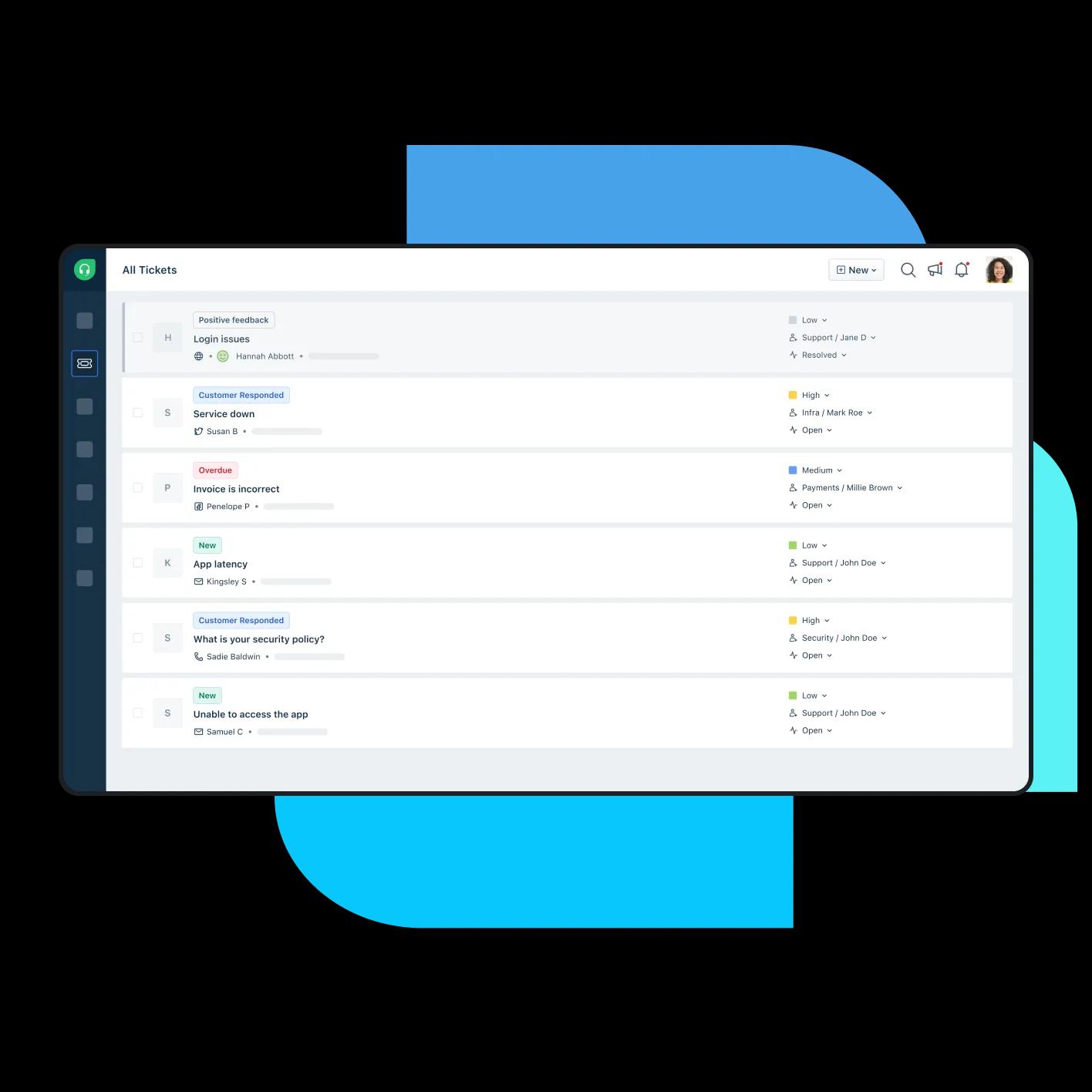
Freshworks' Freshdesk is the AI-powered customer service platform for growing teams, from your first AI agent to AI across customer service. It combines ready-to-use AI, connected omnichannel service, and a documented HIPAA configuration path.
HIPAA path: Signed BAA on the Enterprise plan, with SSO/SAML and MFA, a custom mail server, IP restrictions, custom SSL for TLS 1.2+, RBAC, and audit reporting.
AI: Ready-to-use Freddy AI Agent takes action in connected systems and resolves routine requests, handing anything that needs judgment to a person with the conversation attached. In-product guidance helps teams set up and adopt AI agents faster without a specialist team.
Channels: Email ticketing on every plan. Chat, phone, social, and messaging come with Freshdesk Omni, priced separately.
Pricing: Growth $19, Pro $55, Enterprise $89 per agent/month, billed annually (as of September 2026). Growth, Pro, and Enterprise come with 500 free Freddy AI Agent sessions, once per account, then $49 per 100 sessions; Freddy AI Copilot is $29 per agent/month on Pro and Enterprise.

One healthcare customer notes the impact of automation on protected interactions:
"The platform offers a seamless experience for our support team, allowing them to efficiently manage and prioritize customer queries. The automation features have significantly streamlined our workflow, reducing response times and ensuring that no customer concern goes unnoticed." — Liza S., verified Freshdesk review.
Key features
Custom SSL certificates allow organizations to secure their own support domain or vanity URL for a safe and personalized experience
IP and network restrictions can whitelist IP ranges, restrict login access outside of work, and create secure access for agents to log in from anywhere
Identity and access management empowers users to log into Freshdesk using other accounts by setting up a single sign-on (SSO) script to authenticate their credentials
Custom mail server configuration keeps all email transactions on your own server, outside Freshworks
Security assertion markup language (SAML) SSO gives users unified identification and authentication for the support portal
Enable security assertion markup language (SAML) SSO for users to access support portal with unified identification and authentication
Team inbox tracks and manages incoming support tickets from all channels in a single location
Service Level Agreement (SLA) management assists in setting deadlines for ticket responses based on business hours or categories
Ticket assignment rules automatically assigns requests to agents based on keywords or properties
Pros
Omnichannel messaging is supported through email, phone, chat, social media, website, messenger, and more
AI agents, help widget, knowledge base, and more give customers wide-ranging self-service options to find answers on their own
Extensive collaboration tools like shared ownership, linked tickets, and parent-child ticketing allow teams to leverage collective expertise to better serve end-users
Robust reporting tools such as real-time dashboards, scheduled reports, and customer satisfaction (CSAT) ratings empower businesses to constantly refine strategies and identify areas for improvement
Automatic email notifications alert both agents and end-users to ensure that tickets are resolved as efficiently as possible
Cons:
- The BAA stays valid only while the mandatory HIPAA settings stay in place
- IP whitelisting and audit logs, both part of a HIPAA setup, are on the Enterprise plan
- Chat, phone, and messaging need Freshdesk Omni, which is priced separately
2. Comm100
Comm100 is an omnichannel customer service platform frequently named as a HIPAA-compliant option. Its security page states 256-bit AES encryption at rest with TLS 1.2+ in transit, signed business associate agreements, SOC 2 Type II and ISO 27001 certification, and full on-premises deployment. The on-premises option suits teams that need patient data to stay behind their own infrastructure.
AI setup: AI Agent and Copilot are sold separately and priced on request, so budget the AI line before comparing seat prices.
Price: Live Chat Startup from $31 USD per agent/month billed annually ($39 monthly), per the Comm100 pricing page. Comm100 does not show a figure for its ticketing and messaging tier.
3. Jitbit
Jitbit is a support ticketing tool available both as hosted software as a service (SaaS) and as a self-hosted, on-premises deployment. Its Enterprise tier lists HIPAA compliance and a BAA, and the self-hosted version runs behind your own firewall. Adopting it means managing your own environment if you take the on-premises route.
AI setup: AI credits are bundled into the paid tiers rather than charged per resolution.
Price: Freelancer from $29 per month for one agent ($24.92 per month billed annually); Enterprise $249 per month for nine agents, with extra agents at $29 each. **Jitbit prices per account, not per agent.
Key features
Team mailbox promotes transparency throughout the support team while enabling actions like bulk sending and ticket merging
Canned responses and links to knowledge base articles can be sent with just a few clicks, reducing resolution times and empowering users to find answers autonomously
Powerful automation triggers can send automatic replies, assign tickets, and set ticket due dates
Pros
Android and iOS mobile apps and 500+ potential integrations promote accessibility from anywhere and compatibility with existing infrastructure
SSL encryption and SSO options enhance system security to help ensure HIPAA compliance
Extensive polyglot capabilities are ideal for larger enterprises catering to global client bases
Cons
Lack of customization features can limit the platform’s application in niche markets
Several user reviews mention poor customer service when assistance is required
Analytics and reporting features are rigid and limited, hindering organizations’ capacity to gather useful insights
4. Giva
Giva is a cloud-based help desk software suite marketed specifically for healthcare. It states 256-bit SSL encryption, stored-data encryption, role-based permissions, and access logging, and it is the only vendor here that includes a signed BAA in every edition at no additional cost. It is hosted only, so compliance depends on configuring access and data handling correctly.
AI setup: AI Copilot usage is included on both tiers rather than metered.
Price: Professional $76 USD per agent/month billed annually, for up to 10 agents; Enterprise $98.
5. HappyFox
HappyFox is a help desk software system covering email, web, phone, and social media. Its healthcare page states 256-bit AES encryption, role-based access controls, two-factor authentication (2FA), comprehensive audit logging, and business associate agreements.
Key features: Audit logs to track changes, two-factor authentication (2FA), and session-based security that logs out unattended sessions.
Requires: Higher plans for the strongest security options; the feature breadth can mean a steeper learning curve.
AI setup: HappyFox AI is a separate product from $14 per agent/month, so AI is an added line rather than an included capability.
Price: Help Desk from $24 per agent/month. Plans run Basic, Team, Pro, and Enterprise.
Key features
Audit logs help track changes made within the platform to ensure organizations remain compliant with standards, while also ensuring employee accountability
Two-factor authentication (2FA) provides an additional layer of security to reduce the risk of unauthorized access
Session-based security automatically logs an employee out when they leave their computer unattended while still logged in
Pros
Flexibility in agent-based pricing and unlimited agent packages may provide better value for large enterprises
Data security, IP restrictions, and SSO options provide even more safeguarding measures to verify HIPAA compliance
Extensive and free educational resources ensure that employees receive sufficient onboarding and ongoing training
Cons
Limited social media integration can restrict omnichannel approaches
Can be a bit pricey depending on what plan you’re interested in.
Overabundance of features and challenging navigability may present a steep learning curve for some users
6. OneDesk
OneDesk combines help desk software and project management, hosted on Amazon Web Services (AWS). Data is encrypted over SSL, with activity audit controls and user-level access controls, and on-premises and private-cloud options are available. Its HIPAA-enabled accounts bundle the signed BAA with the enterprise feature set, so the compliance decision and the plan decision are the same decision.
AI setup: OneDesk does not publish an AI agent capability, so routing and triage stay manual.
Price: Help Desk $12.99 per user/month; HIPAA-enabled accounts, including the signed BAA and enterprise features, $32.99 per user/month billed annually.
7. Spiceworks
Spiceworks is a free cloud help desk built for IT support. It offers a customizable web portal, ticket rules, and auto ticket assignment.
Requires: Manual work where AI is absent—no AI agent and limited consolidation of tickets across channels. Spiceworks does not publish a BAA commitment or a stated encryption standard, so confirm both directly before placing any PHI in it.
Price: Core plan free for one to five seats; Premium from $5 per seat/month billed annually ($6 monthly) for unlimited seats.
Key features
Customizable web portal available for users to self-submit tickets and include relevant information regarding their request
Ticket rules allow businesses to easily assign tickets, designate categories, and set due dates based on pre-defined triggers
Auto ticket assignment and routing can direct requests to different departments based on priorities and categories
Pros
Ability to generate multiple ticket templates to capture relevant details from unique users
Extensive mobile capacity through Android and iOS applications caters to remote and geographically dispersed teams
Automated responses help live agents answer recurring questions faster
Cons
Lags behind similar systems in the ability to consolidate tickets from all channels in a single location
Limited AI capabilities – no chatbot offered, resulting in more manual interactions and higher ticket resolution times
Emphasis on IT support, resulting in a lack of viability for general customer service initiatives
8. Hiver
Hiver is a Gmail-based collaboration and help desk software tool offering multichannel communication, self-service tools, and automation. It suits teams that want to manage support inside a shared mailbox.
Requires: Tickets are tied to email, so there is no way to raise one outside an email thread. Hiver does not publish a BAA commitment or a stated encryption standard, so confirm both directly before placing any PHI in it.
AI setup: AI features are included on every plan rather than charged separately.
Price: Growth from $25 per user/month billed annually ($35 monthly), as of 21 September 2026, per the Hiver pricing page.
Key features
AI chatbot, Harvey, offers traditional bot capabilities, while also identifying and closing conversations that get reopened due to non-actionable “thank you” responses
AI Summarizer allows agents to turn lengthy emails into brief notes, boosting handoffs and expediting resolutions
Collision alerts ensure that no two team members accidentally work on the same query, helping to avoid mistakes like email duplication
Pros
Enhance collaboration among teams with notes and @mentions to ensure timely and accurate responses
Powerful automation that can be triggered based on rules, round robin, or content contained within a message
Tools like conversation ID and conversation followers assist agents in following complex threads, while supervisors can monitor progress and performance as well
Cons
No option to create new tickets unless they’re attached to an email
Lack of distinction between messages creates challenges in referencing past conversations
Limited task automation may result in duties being assigned to agents already handling excessive workloads
Choosing the right HIPAA-compliant ticketing system for your business
Start with the safeguards: confirm the vendor signs a BAA, then verify encryption of stored and transmitted data, RBAC, and audit logs. Only after that gate is cleared should you weigh customization, automation, and AI setup effort.
Two questions narrow the field quickly:
Cloud or on-premise? Hosted SaaS with a BAA is faster to set up; a self-hosted option keeps data behind your own firewall. Both can be compliant when configured correctly.
AI setup effort and pricing model? Compare ready-to-use agents against builders that require configuration before go-live, and check whether AI is priced per resolution, per outcome, or per session, it changes the total cost as volume grows.
For a broader view of the category, see the best ticketing system list for 2026 or the email ticketing system guide.
Turn to Freshdesk for HIPAA-aligned patient support
Freshdesk gives growing healthcare support teams a documented path rather than a compliance project: nine setup steps, a BAA on the Enterprise plan, and reporting that makes adherence straightforward to show. If you need capabilities Freshdesk doesn't currently have, the Marketplace connects third-party applications with Freshdesk. Freshworks documents its commitment toward HIPAA compliance for teams evaluating the platform.
HIPAA compliant ticket system FAQs
Are there hidden costs when moving to a HIPAA-compliant plan?
HIPAA capabilities are often gated to a vendor's higher-tier plans, so the BAA and strongest security options may cost more than a standard subscription. Beyond the base seat price, check how AI is billed, since per-resolution, per-outcome, or per-session pricing changes total cost as ticket volume grows. Always confirm which plan tier includes the signed BAA before budgeting.
When should a healthcare team choose on-premise over hosted SaaS for HIPAA ticketing?
Use on-premise as the default only when a specific control requirement like data residency, an existing firewall boundary, or an auditor's mandate rule out hosted infrastructure; otherwise hosted SaaS with a BAA is the pragmatic starting point because you can set it up faster and shift more of the maintenance burden to the vendor. A quick decision rule: if you cannot name the requirement forcing self-hosting, choose hosted.
How does a HIPAA-compliant ticketing system handle patient data securely?
Ticketing systems usually offer encryption protocols to safeguard sensitive patient information and access controls to restrict the availability of patient data to authorized personnel only. Audit trails are also often employed to monitor access logs, identify suspicious behavior, and investigate security incidents promptly.
How can organizations ensure ongoing HIPAA compliance with their ticketing system?
Establishments should provide continuous training to employees to ensure that they understand their responsibilities in adhering to HIPAA requirements. Training programs often cover topics such as data security best practices, privacy policies, and the proper handling of ePHI within the ticketing system.
What are the consequences of non-compliance with HIPAA regulations for ticketing systems?
Organizations found to be non-compliant may face financial penalties ranging from thousands to millions of dollars, depending on the severity of the violation. In addition to monetary fines, non-compliance may result in corrective action plans and increased scrutiny from regulatory authorities.