Migrate from Jira Service Management to Freshservice
Migrating from Jira to Freshservice is seamless, preserving your workflows and data for a faster, smoother, and smarter transition.


If you have ever attempted to manage IT requests, assets, and approvals in Jira Cloud, you are likely aware of how quickly the process can become disorganized. As teams grow, so do workflows, automations, and dependencies, until updates feel heavier than the issues they’re meant to fix.
That’s why many IT leaders are now migrating from Jira to Freshservice, a platform built to simplify service management without endless configuration. With Freshservice, you can streamline processes, boost visibility, and scale faster while staying in complete control.
Let's walk you through every step of migrating from Jira to Freshservice, from planning to a seamless transition that keeps your operations running smoothly.
Why move from Jira Service Management to Freshservice
For many IT teams, what started as a flexible setup in Jira has slowly turned into a web of configurations, plugins, and manual workarounds. Scaling becomes more complex and less smooth.
Managing tickets, assets, and automations is increasingly requiring more admin effort than it should. Freshservice changes this with a unified, modern approach to IT service management designed for speed and simplicity.
Here’s what makes the difference:
Simpler setup, faster adoption: Freshservice’s intuitive interface means you don’t need a dedicated admin to maintain it. Teams can onboard quickly, customize workflows in minutes, and foster cross-team collaboration—spending less time managing tools and more time serving employees.


One platform, total control: Freshservice unifies ITSM, IT operations management (ITOM), IT asset management (ITAM), and enterprise service management (ESM), giving you complete visibility into tickets, assets, and operations. Everything connects seamlessly, so you can monitor performance, manage incidents, and automate fixes from one place.
AI engine that works ahead of you: Freshservice’s AI engine automates repetitive work, predicts issues before they escalate, and assists agents in real time.
Lower cost, higher visibility: With fewer integrations to maintain, you spend less on licenses and upkeep. Freshservice also brings clarity to every corner of IT, so leaders can track SLAs, service health, and performance without juggling spreadsheets or plug-ins.
Built for real teams: Whether you’re an IT leader, service desk manager, or operations head, Freshservice helps you manage requests, assets, and automation from a single workspace. It’s built to make everyday IT work faster, simpler, and more predictable.
Pre-migration checklist: Preparing for a smooth transition
A successful migration starts with planning. Before you migrate from Jira to Freshservice, take the time to define what success looks like, who’s accountable, and what needs to move.
A structured pre-migration plan, built on a solid IT strategy, reduces downtime, minimizes surprises, and keeps your IT operations stable throughout the transition.
Here’s a practical checklist to help your team prepare:
Define project scope and success metrics: Document what’s in scope for this Jira-to-Freshservice migration: projects, data types, and integrations. Set measurable goals and confirm them with all stakeholders.
Identify key stakeholders: Involve IT admins, service desk leads, compliance teams, and executive sponsors early. Assign who validates data, signs off on timelines, and owns communication.
Assess your Jira setup: Review projects, workflows, SLAs, and automations. If your setup has grown over the years, this is the time to simplify it before your Jira Freshservice integration.
Address compliance and data security: Verify retention policies, access controls, and encryption standards. Ensure sensitive data, especially user information and attachments, is handled in line with organizational compliance frameworks.
Set realistic timelines and freeze periods: Create a migration calendar with buffer time for validations and testing. Plan a short “change freeze” window before you transfer Jira Service Management to Freshservice to avoid new data conflicts.
Create backups and fallback plans: Always export Jira data snapshots before starting the migration. A clean rollback path ensures business continuity if something goes wrong.
Assign ownership: Define who will review, approve, and handle exceptions. Clear accountability eliminates confusion during the actual Jira-to-Freshservice data migration.
Assessing your current Jira software setup
Before any data moves, get a complete picture of what you’re working with. Start by reviewing your Jira instance: projects, workflows, and configurations. The goal isn’t to clone Jira, but to bring only what adds value when migrating from Jira Service Management to Freshservice.
Focus on:
Workflows and project management: List all active projects, workflows, and issue types. Identify overlaps or unnecessary complexity that can be simplified in Freshservice.
Custom fields and permissions: Catalog every custom field, user group, and permission layer. Note where access levels might differ across teams.
Automations and dependencies: Check triggers, webhooks, and integrations that may not have direct equivalents in Freshservice.
Optimization opportunities: Many customers who selected Freshservice have reported significant improvements in SLA attainment after modernizing their processes, proving that streamlining yields long-term benefits.
Identifying data to migrate
Not all data needs to make the move. Knowing what to keep and what to leave behind helps ensure a clean, fast, and compliant migration from Jira to Freshservice.
Here’s how to decide:
Must migrate: Active tickets, relevant closed tickets, key reports, user profiles, and knowledge base articles.
Clean up: Old automation rules, inactive users, obsolete workflows, and redundant data fields
Consider retention: Archive data required for audits or legal compliance instead of migrating it all.
This cleanup reduces load during the Jira-to-Freshservice data migration and gives your team a lighter, more efficient system to build on.
Book a live demo with Freshservice and modernize IT operations.
Step-by-step guide to migrating from Jira to Freshservice
Migrating IT operations requires precision. Let's break down every step to migrate from Jira to Freshservice, giving IT teams a clear path to streamline IT service desks and keep operations running without disruption.
Using built-in tools for migration
If your setup is standard, the easiest way to migrate from Jira to Freshservice is through Freshservice’s Jira Importer. It’s built to simplify migration: no custom scripts, no complex setup, and no structured steps with clear checkpoints.
Before you begin, ensure you have admin access for both tools, a stable API connection, and a test environment (or sandbox) to run trial imports. Schedule a short “change freeze” to prevent new tickets from appearing mid-migration, and back up everything: tickets, users, attachments, and knowledge base content.
Once you’re ready, here’s how to do it right:
1) Scope and export plan
Decide what moves now versus later: projects/queues, issue types, relevant date ranges (many teams take the last 12–18 months), knowledge base content, and users/groups. Note dependencies (email channels, webhooks, marketplace apps, and automations) that you’ll rebuild in Freshservice. Archiving rarely used data speeds up the Jira-to-Freshservice migration.
2) Export Jira data (clean source = clean import)
Export tickets with core fields (summary, description, reporter, assignee, status, priority, labels), all comments (public and internal), timestamps, and attachments. Catalog custom fields (name, type, context).
Export active users, roles, and groups; remove dormant or dupes. For the knowledge base (KB), export categories/folders, articles, and images. The cleaner the source, the smoother the import when you move from Jira to Freshservice.
3) Connect the Jira Importer (Freshservice)
In Freshservice, go to Admin → Import → Jira and connect your Jira instance securely using admin credentials or a service account. Run a quick test connection to confirm the link is stable before starting the process.
4) Field mapping (where most mistakes happen)
Map standards first: Summary→Title, Description→Description, Reporter→Requester, Assignee→Agent, Status→State, Priority→Priority, Labels→Tags—then handle custom fields by type (text→text, dropdown→dropdown).
Create missing target fields in Freshservice ahead of time. Map both public and private comments, preserving author and timestamp. Enable attachment imports and confirm file binaries (not just links) will transfer. Avoid mismatches, such as multi-select mapped to a single-select.
5) User and role alignment
Align Jira users to Freshservice requesters/agents and resolve duplicates early. Recreate essential groups (e.g., Service Desk, Change Approvers) so that routing and approvals work on day one. Keep historical references to deactivated users, but prevent logins for former employees.
6) State and workflow alignment
Map Jira statuses (including custom states) to Freshservice states that reflect your operational reality. Rebuild approvals and SLAs directly in Freshservice; one-to-one transfers are rare, and rebuilding ensures they match current business hours and escalation paths.
7) Knowledge base import
Bring in KB categories and folders first, then articles. After import, verify images and internal links, and assign clear ownership so updates continue without delays.
8) Run a test import (always)
Use a small, representative sample—several projects, a mix of open/closed tickets, a few users, and KB articles. Validate counts, field values, attachments, timestamps, requester/agent mapping, comments (including internal notes), and state mapping before the complete Jira to Freshservice data migration.
9) Fix, rerun, and document decisions
Tune mappings based on test results and re-run until everything looks correct. Document the final mapping rules so that the full import is repeatable and auditable.
10) Final import (with a short freeze)
Enter the freeze window, communicate it to stakeholders, and run the full import using the finalized mappings. Monitor progress and keep exports and mapping docs at hand.
11) Post-import validation
Reconcile totals—tickets by status and type, users, KB articles, and attachments. Spot-check project records to verify fields, comments, files, and timestamps. Confirm inbound/outbound email behavior and ensure there are no duplicate notifications.
12) Re-enable automations and dashboards
Once validation is complete, re-enable automations, routing rules, and notifications in a controlled order. Configure views and dashboards for agents and managers, and use IT automation to handle repetitive tasks, such as ticket assignments and approvals, right from day one.
13) Cutover, delta, and early monitoring
Handle any new tickets created during the freeze with a small delta pass or a manual reconciliation. For the first 72 hours, watch SLA breaches, queue health, and email delivery closely. Encourage agents to report anomalies quickly.
14) Common issues and quick fixes
Expect minor discrepancies in any migration. Normalize time zones if timestamps drift. Re-import missing attachments that exceed size limits. If custom fields don’t appear, check for type mismatches or create the missing fields in Freshservice, then rerun a small fix batch. Activate automations gradually to avoid multiple triggers.
Leveraging APIs for custom migrations
When your Jira setup involves multiple projects, complex automations, or heavy customization, APIs offer the control you need for a precise, reliable migration.
A scripted Jira-to-Freshservice data migration ensures that every workflow, field, and ticket relationship is accurately carried over, without the constraints of preset mappings.
Unlike built-in tools, API-based migration gives your technical teams full command over how data is extracted, transformed, and re-imported. This approach is ideal for enterprises with strict data governance, multi-instance setups, or dependencies that can’t be handled manually.
Here’s how to approach it effectively:
1) Set up your API environment
Start by storing Jira and Freshservice API keys or tokens securely (e.g., in environment variables). Then test connectivity with a few basic GET requests. Confirm rate limits and response formats before running large-scale scripts.
2) Extract data from Jira
Use Jira REST APIs to pull tickets, comments, attachments, and users. Filter data with JQL queries—for example, “updated > -365d” to migrate only the past year’s tickets. Keep each export's CSV or JSON backup for rollback or auditing later.
3) Transform and sanitize data
Before sending data into Freshservice, clean and standardize it. Rename field headers to match Freshservice’s schema, normalize date formats, and remove unused or null fields. If your Jira instance includes custom workflows or categories, define how they’ll map to Freshservice equivalents here.
4) Import to Freshservice using its APIs
Next, import your structured data using Freshservice’s Tickets, Problems, Changes, and Assets endpoints. Maintain relationships between requesters, agents, and tickets. Batch upload attachments via their file endpoints to handle large files, ensuring they stay within size limits.
5) Handle dependencies and order
Always migrate foundational data (agents, requesters, and departments) first, before dependent records such as tickets or changes. This prevents reference errors and ensures relational consistency between imported objects.
6) Error handling and logging
APIs fail silently if not monitored. Enable detailed logs to track successful requests, failed entries, and API rate-limit responses. Implement automatic retries for transient errors and maintain audit logs for validation.
7) Validate and reconcile
After each import batch, verify record counts and spot-check tickets for field accuracy, comments, and timestamps. Compare them with your Jira exports to confirm parity. This validation ensures a trustworthy migration from Jira Service Management to the Freshservice process.
8) Automate repetitive import cycles
For large organizations migrating in phases, use scripts to schedule recurring data pulls and imports. Pair this with Freshservice’s workflow automator to categorize, assign, or tag new records once imported. This keeps manual effort to a minimum while preserving data accuracy.
9) Document every decision
Maintain an internal “migration dictionary” mapping Jira fields to their Freshservice counterparts. This becomes a reusable asset for future integrations or audits, and keeps the process transparent for stakeholders.
10) When to use hybrid migration
Some teams combine both approaches: run the built-in importer for standard data and APIs for the rest (like assets, changes, or custom objects). This is the most flexible path when both speed and control are needed.
Handling complex configurations and custom fields during migration
Most migration issues don’t come from data loss but from carrying over messy setups that no longer serve the team. As you migrate from Jira to Freshservice, you can rebuild stronger foundations, simplify workflows, and align your service architecture with modern IT management practices.
To get it right, focus on the following three high-impact areas that often decide how smooth and scalable your new environment will be:
Area | What to do during migration | Why it matters |
Workflows and states | Map Jira transitions to Freshservice’s simplified states: Open, Pending, Resolved, and Closed. Using Freshservice's visual builder, trim unnecessary steps, rebuild approvals, and reconfigure SLAs. | Reduces workflow friction, shortens resolution times, and helps teams adapt faster to new processes. |
Custom fields | Audit every Jira field and keep only those essential to reporting or automation. Create matching types in Freshservice and manage complex dependencies using APIs or field scripts. | Ensures data accuracy, improves system performance, and keeps reporting aligned with real service goals. |
Roles and permissions | Replace Jira’s group-based access with Freshservice’s role-based model (Agent, Supervisor, Requester). Review visibility for change approvals, incident queues, and restricted assets. | Strengthens governance, minimizes access errors, and simplifies long-term administration. |
Handled right, this stage turns configuration management into a modernization exercise, helping your Jira-to-Freshservice migration deliver cleaner data, tighter controls, and processes that scale effortlessly.
Post-migration activities
Once you migrate from Jira to Freshservice, the focus shifts from transfer to transformation. This stage ensures that everything works as expected and that your teams are confident using the new system.
Verify the setup, onboard users, and fine-tune workflows to ensure your new service environment runs seamlessly. This phase defines how quickly most teams realize value after the Jira-to-Freshservice migration.
Freshservice makes this easier with built-in analytics, configuration visibility, and simplified incident management tools that help IT teams stay proactive.
Verifying data integrity
Before going live, confirm that every record is migrated accurately. Start by spot-checking sample tickets from multiple projects: validate requester names, timestamps, attachments, and comments. Compare ticket counts between Jira and Freshservice to ensure nothing was skipped.
Use Freshservice’s built-in reports or custom views to reconcile ticket statuses, categories, and SLA settings. If discrepancies appear, document and fix them immediately; this prevents confusion once agents start working in the new system. Verification may feel tedious, but it guarantees a clean cutover and data you can trust long-term.
Training teams on Freshservice
Adoption succeeds when people feel confident, not when handed new logins. Plan targeted sessions for each role:
Agents: Focus on navigating the interface, using automations, and managing ticket queues efficiently.
Admins: Train on configurations, workflows, and reporting to maintain tight governance.
Leaders: Walk through dashboards and analytics for visibility into team performance.
Provide internal documentation and a quick “what’s changed” summary so users can adapt quickly. Early confidence prevents slowdowns and ensures your Jira-to-Freshservice data migration delivers full value from day one.
Monitoring and optimizing the new setup
Post-launch, treat your environment like a living system: review, refine, and repeat. Use Freshservice analytics to monitor ticket flow, resolution times, and SLA adherence. Set up early-warning dashboards for spikes in ticket volume or automation failures. Capture user feedback through surveys or internal channels, then adjust workflows and automations accordingly.
Continuous optimization turns your transfer from Jira Service Management to Freshservice into a lasting improvement, and not just a platform switch.
Optimizing workflows and automations in Freshservice post-migration
Once you’ve stabilized operations after the Jira-to-Freshservice migration, the next step is optimization, turning a functional setup into an intelligent one. This is where Freshservice stands out, helping teams automate, predict, and continuously improve their IT service delivery.
By combining workflow automation, analytics, and Freddy AI, teams can evolve from simple process management to proactive IT modernization.
Automate repetitive tasks: Eliminate manual effort by setting up rule-based workflows to automatically assign tickets, send notifications, and close resolved issues. Use event-triggered automations to handle repetitive actions such as category updates or incident routing.
Leverage Freddy AI for speed and accuracy: Freddy AI isn’t just an add-on; it’s a built-in advantage. Use Freshservice's AI agent to auto-route requests, summarize long ticket threads, and predict incident categories based on past patterns. This helps IT teams move faster, improve first-response accuracy, and reduce resolution time.
Strengthen SLA management and reporting: After you move from Jira to Freshservice, refine your SLAs using automation rules that adjust priorities based on ticket type or impact. Build real-time dashboards to monitor SLA breaches, workload balance, and agent performance. These insights transform data into action, enabling smarter resource allocation.
Establish a continuous improvement cycle: Optimization isn’t a one-time setup. Use analytics to identify process bottlenecks, survey results for service satisfaction, and agent feedback for workflow fine-tuning. As your IT ecosystem matures, automation becomes the foundation of a faster, more scalable support operation.
Automate tasks, leverage Freddy AI, and optimize SLAs for smarter, faster service delivery.
Best practices and tips for a smooth migration
Every migration succeeds or fails in preparation. The lessons are simple but non-negotiable: plan clearly, test early, and communicate often. These principles are based on proven ITSM best practices and keep your Jira-to-Freshservice migration on track.
Here’s a quick checklist of what works in the real world:
Run a demo migration first: Test a small dataset to validate field mappings, attachments, and permissions before scaling up.
Define ownership early: Assign migration leads, data owners, QA reviewers, and admins to ensure accountability for tasks.
Plan and communicate freeze periods: Announce cutover windows in advance and pause ticket activity during migration to avoid data mismatches.
Adopt a phased rollout: Start with one department or geography, gather feedback, and refine your setup before expanding.
Validate using reports or scripts: Reconcile ticket counts, SLAs, and field accuracy using Freshservice reports or validation scripts.
Maintain a rollback plan: Keep Jira backups ready and test your rollback steps once before the final cutover.
Train before go-live: Brief agents on new workflows, approvals, and automation triggers so they’re ready from day one.
Each of these practices reduces downtime, minimizes risk, and builds trust among your IT teams, turning your move from Jira to Freshservice into a well-executed transition.
Real-world success stories: Organizations that migrated to Freshservice
Real outcomes show the actual impact of modernizing IT operations. Several teams have moved to Freshservice to simplify workflows, reduce costs, and deliver faster, smarter support. This proves that investing in modern Jira Service Management alternatives drives measurable business results.
1. STCU: Lowering IT costs through platform consolidation
Challenges faced: Fragmented tools made IT operations expensive and disjointed. Incident alerts, automation, and service requests were spread across multiple platforms.
Solution implemented: STCU unified ITSM and ITOM with Freshservice, replacing legacy tools and planning a complete migration from PagerDuty to Freshservice for incident management.
Results achieved: 100% employee satisfaction, 24% faster resolution than industry average, and projected annual savings of tens of thousands of dollars after completing the PagerDuty migration.
This demonstrates how a single platform can reduce costs and complexity, yielding outcomes similar to those of teams migrating from Jira to Freshservice.
2. Creditsafe: Modernizing legacy ITSM for faster resolutions
Challenges faced: An outdated ITSM (IFS Assyst) slowed response times, complicated workflows, and lacked automation and visibility.
Solution implemented: Creditsafe replaced its legacy platform with Freshservice, standardizing processes and streamlining IT service delivery.
Results achieved: 90% of incidents got resolved within eight working hours, and customer satisfaction improved by roughly 15%.
This is strong proof that transferring from Jira Service Management to Freshservice or other legacy tools can deliver measurable performance gains.
3. Maurice Blackburn Lawyers: Accelerating implementation across departments
Challenges faced: Maurice Blackburn Lawyers needed to replace its legacy helpdesk quickly and unify IT service delivery across departments without disrupting critical operations.
Solution implemented: The law firm implemented Freshservice within three months, connecting eight departments and over 100 agents across nine service desks.
Results achieved: The law firm achieved 91.27% first-touch resolution and an average resolution time of 34 hours through simplified workflows and built-in automations.
Why Freshservice is the best choice for your ITSM needs
Migrating is about resetting how IT works. After teams migrate from Jira to Freshservice, they don’t just move data; they move to a smarter, lighter way of managing IT.

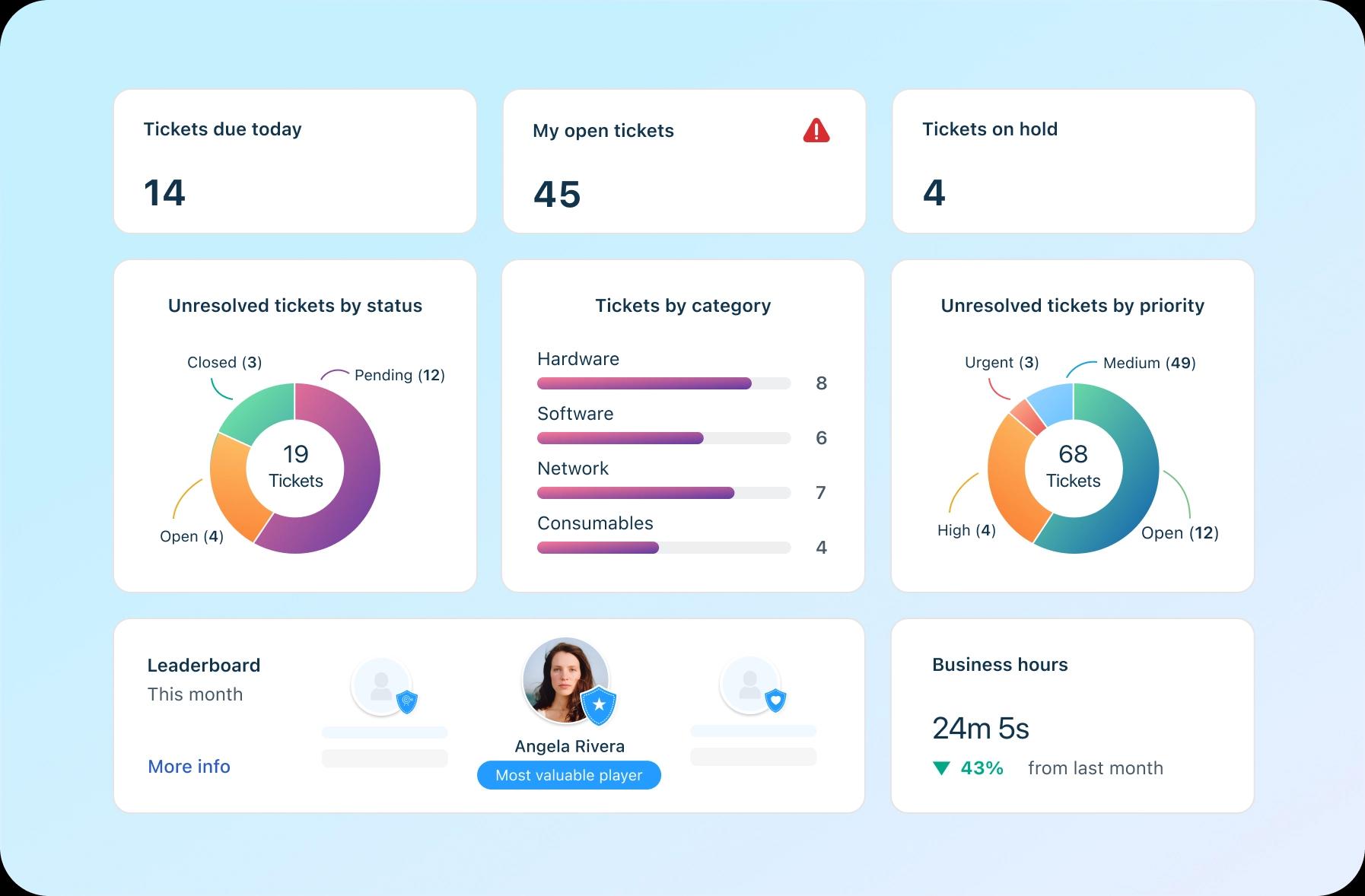
Freshservice brings automation that eliminates routine noise, AI that predicts and prioritizes, and visibility that connects service, assets, and operations in one view. The payoff is faster resolutions, higher uptime, and a happier team that can finally focus on strategy over support tickets.
Maximize real results with Freshservice.
Frequently asked questions related to Jira Service Management migration to Freshservice
What are the key differences between Jira Service Management and Freshservice?
Freshservice focuses on simplicity, scalability, and speed without sacrificing enterprise-grade features. Jira Service Management, while powerful, often relies on custom configurations and add-ons. Freshservice offers built-in AI, automation, and unified ITSM and ITOM capabilities, making it easier for teams migrating from Jira to Freshservice to manage everything from a single platform.
How long does the migration process typically take?
Timelines vary by data volume and workflow complexity, but most organizations complete their Jira to Freshservice migration within two to six weeks. Smaller setups using built-in importers may finish in days, while enterprise environments benefit from phased planning and validation for a seamless cutover.
Can I continue using Jira alongside Freshservice during the transition?
Yes. Running both platforms in parallel is a standard best practice when you move from Jira to Freshservice. It ensures your teams adapt smoothly to Freshservice while maintaining access to critical Jira data during the transition.
What are the common migration challenges and how to overcome them?
Teams typically face field mapping, workflow replication, and user onboarding issues. Documenting your Jira setup, testing sample migrations, and providing targeted training help minimize disruption when you transfer Jira Service Management to Freshservice.
What happens to archived or closed tickets during migration?
Archived or closed tickets can be migrated, but many teams choose to keep legacy data in Jira for reference. Migrating only active and recent tickets keeps the new system organized while allowing access to historical data after the Jira-to-Freshservice data migration.
Can I migrate Jira Service Management reports and dashboards to Freshservice?
Reports don’t transfer directly, but Freshservice’s advanced analytics and automation make rebuilding and enhancing them simple. Once you migrate Jira Service Management to Freshservice, you can use AI-powered dashboards for better visibility and faster insights.